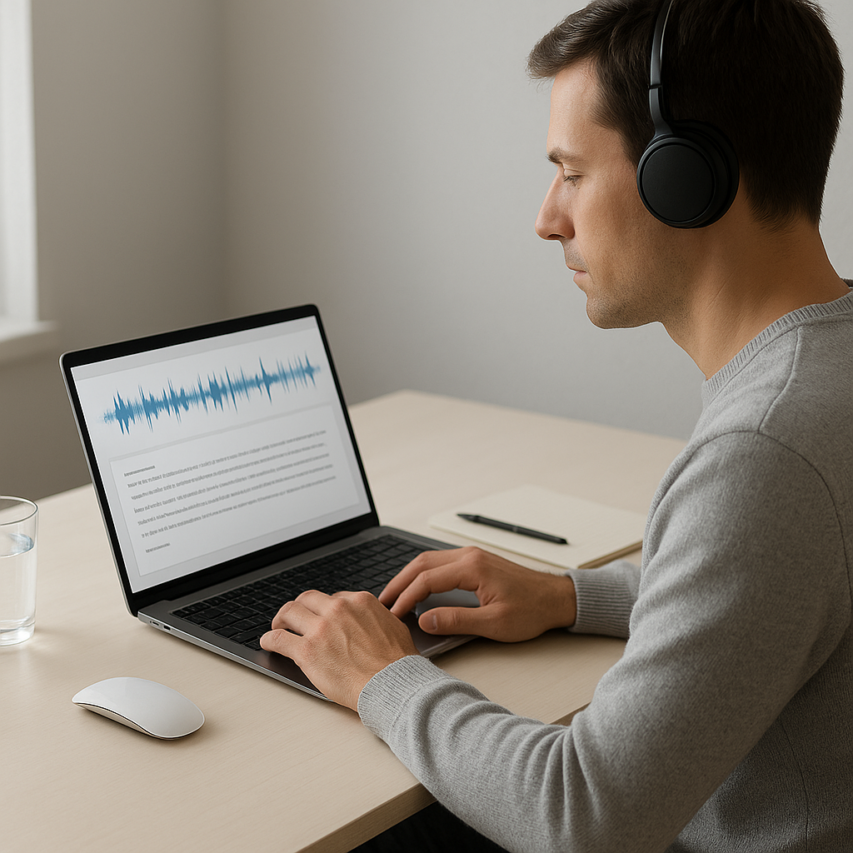
Audio conversion has become an indispensable skill in our content-driven world, where the ability to convert audio to text can transform how we consume, create, and share information. Whether you’re a content creator looking to turn podcast episodes into blog posts, a student needing to convert sound to text from lecture recordings, or a professional seeking to transform meeting recordings into searchable documents, mastering audio conversion techniques opens up countless possibilities for productivity and accessibility.
The digital landscape demands efficiency, and converting audio file to text has emerged as a critical workflow for journalists, researchers, marketers, and accessibility advocates. Modern audio conversion goes far beyond simple transcription—it encompasses format transformations, quality optimization, batch processing, and even reverse conversion from text back to speech. These techniques not only save countless hours of manual work but also make audio content accessible to hearing-impaired audiences and enable powerful search functionality across spoken content.
This comprehensive guide will walk you through everything from fundamental conversion principles to advanced automation techniques. You’ll discover how to turn audio into text with professional accuracy, choose the right tools for your specific needs, optimize audio quality for superior results, troubleshoot common conversion challenges, and explore cutting-edge methods that professional content creators use to streamline their workflows.
Understanding Audio Conversion Fundamentals
Audio conversion represents one of the most transformative technologies in digital communication, enabling users to bridge the gap between spoken words and written text. Whether you’re a journalist transcribing interviews, a student converting lecture recordings, or a business professional documenting meetings, understanding these fundamentals will help you choose the right approach for your specific needs.
What is Audio Conversion and Why It Matters
Audio conversion encompasses the process of transforming audio content from one format to another, with the most common application being the ability to convert audio to text. This technology has revolutionized how we process and interact with spoken content, making audio information searchable, editable, and accessible to broader audiences.
The significance of audio conversion extends far beyond simple convenience. In educational settings, students can quickly turn audio into text to create study materials from recorded lectures. Healthcare professionals rely on medical dictation software to convert patient notes efficiently. Legal teams use transcription services to transform depositions and court proceedings into searchable documents. Content creators leverage these tools to generate subtitles, blog posts, and social media content from podcasts and video recordings.
Modern audio conversion technology has also become crucial for accessibility, helping individuals with hearing impairments access audio content through text alternatives. Additionally, businesses use these tools to analyze customer service calls, extract insights from recorded meetings, and create documentation from verbal discussions.
Types of Audio Conversion Methods
The landscape of audio conversion includes several distinct categories, each serving different purposes and use cases. Understanding these methods helps you select the most appropriate tool for your specific requirements.
Audio-to-Text Conversion represents the most widely used method, employing speech recognition algorithms to convert audio file to text automatically. This process involves analyzing audio waveforms, identifying speech patterns, and translating them into written words. Modern solutions use artificial intelligence and machine learning to achieve remarkable accuracy levels, even with challenging audio conditions.
Format Conversion involves changing audio files between different digital formats without altering the content itself. This might include converting MP3 files to WAV format, or transforming proprietary audio formats into more universally compatible options. While this doesn’t change the actual audio content, it ensures compatibility across different devices and software applications.
Text-to-Speech Conversion works in the opposite direction, transforming written text into spoken audio. This technology proves invaluable for creating audiobooks, voice assistants, and accessibility tools for individuals with visual impairments.
Audio Enhancement and Processing includes noise reduction, volume normalization, and quality improvement techniques that often accompany conversion processes. These methods help optimize audio before conversion, leading to better final results.
Quality Factors That Affect Conversion Results
Several technical and environmental factors significantly impact the success of your efforts to convert sound to text. Understanding these elements helps you optimize your audio files and choose appropriate conversion settings.
Sample Rate and Bitrate form the foundation of audio quality. Higher sample rates capture more audio detail, with 44.1 kHz being standard for most applications and 48 kHz preferred for professional work. Bitrate determines the amount of data used to represent each second of audio, with higher bitrates generally producing clearer results for transcription purposes.
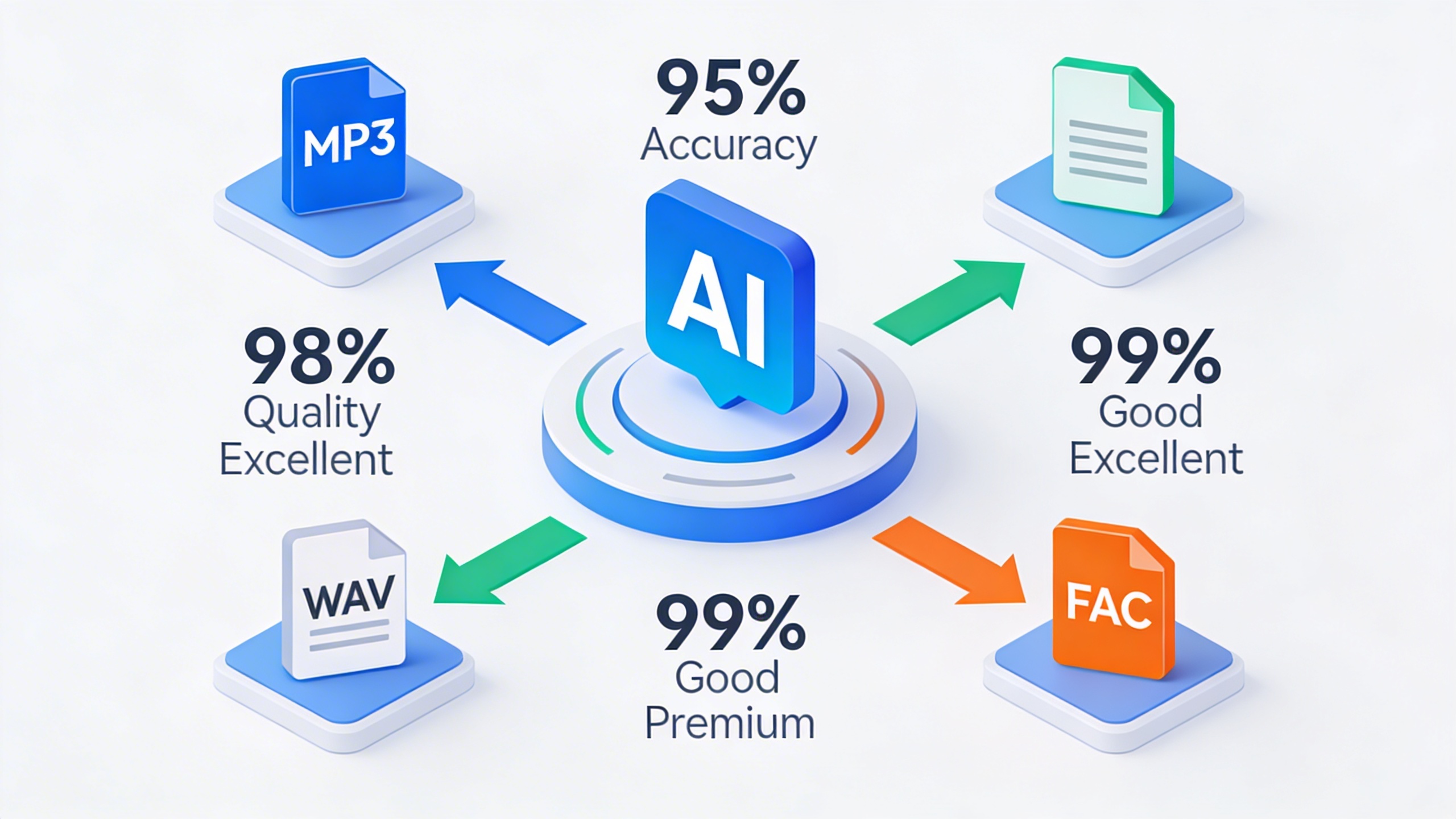
File Format Selection impacts both quality and compatibility. Uncompressed formats like WAV preserve maximum audio detail, while compressed formats like MP3 offer smaller file sizes but may introduce artifacts that affect transcription accuracy. Modern conversion tools handle various formats, but starting with high-quality source material always yields better results.
Recording Environment plays a crucial role in conversion success. Background noise, echo, and poor microphone placement can significantly reduce accuracy when you attempt to turn audio into text. Clean, well-recorded audio with minimal ambient noise produces the most reliable transcription results.
Speaker Characteristics also influence outcomes. Clear pronunciation, consistent speaking pace, and minimal overlapping voices contribute to higher accuracy rates. Multiple speakers, heavy accents, or rapid speech patterns may require specialized processing or manual review to achieve optimal results.
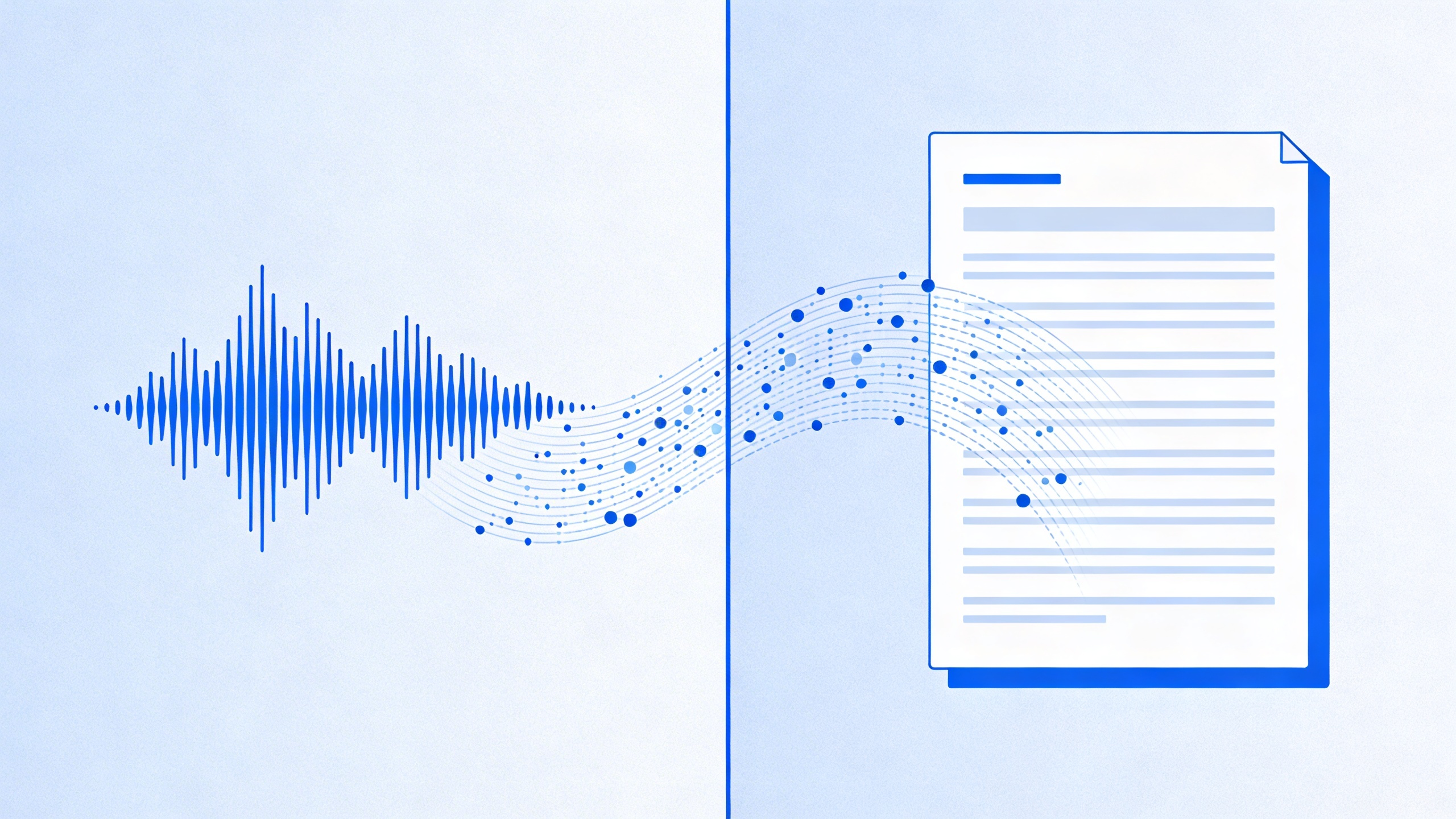
Audio to Text Conversion: Complete Process Guide
Converting audio to text requires more than simply uploading a file and hoping for the best results. The quality of your final transcript depends heavily on proper preparation, following a systematic conversion process, and implementing thorough post-conversion refinement techniques.
Preparing Your Audio Files for Optimal Results
The foundation of accurate audio to text conversion begins with proper file preparation. Clean, well-prepared audio files can dramatically improve transcription accuracy rates from 70% to over 95% in many cases.
Start by examining your audio file quality. Background noise, multiple speakers talking simultaneously, and poor recording equipment create significant challenges for conversion algorithms. Use audio editing software to reduce background noise, normalize volume levels, and eliminate long periods of silence that can confuse transcription systems.
File format optimization plays a crucial role in conversion success. While most modern transcription tools accept various formats, uncompressed formats like WAV or FLAC typically produce better results than heavily compressed MP3 files. If you must use compressed formats, ensure the bitrate remains above 128 kbps for acceptable quality.
Consider segmenting lengthy recordings into shorter chunks of 10-15 minutes. This approach allows for better processing efficiency and makes it easier to identify and correct errors in specific sections. Additionally, create backup copies of your original files before making any modifications.
Step-by-Step Conversion Process
The actual process to convert audio to text involves several critical steps that determine your final transcript quality. Begin by selecting the appropriate transcription method based on your specific needs, budget, and accuracy requirements.
Upload your prepared audio file to your chosen transcription platform. Most professional tools, including Sozai, offer multiple language options and specialized models for different audio types such as meetings, interviews, or lectures. Select the correct language and audio type to optimize the conversion algorithm.
Configure speaker identification settings if your audio contains multiple speakers. This feature helps organize the transcript by clearly marking when different people are speaking, making the final document much more readable and useful.
Monitor the conversion process, especially for longer files. Many platforms provide real-time progress updates and preliminary accuracy estimates. If you notice significant issues during processing, consider stopping the conversion and revisiting your audio preparation steps.
Review the initial output immediately after the audio file to text conversion completes. This quick scan helps you identify any major issues that might require reprocessing with different settings or additional audio preparation.
Post-Conversion Editing and Refinement
Raw transcripts from automated systems require careful editing to achieve professional-quality results. Even the most advanced algorithms struggle with context, proper nouns, technical terminology, and speaker nuances that human editors can easily resolve.
Begin your editing process by reading through the entire transcript while listening to the original audio. This dual-input approach helps you catch errors that might not be obvious when reviewing text alone. Pay special attention to homophones, where the transcription system might have selected the wrong word that sounds identical to the correct term.
Focus on punctuation and paragraph structure during your second editing pass. Automated systems often struggle with natural speech patterns, run-on sentences, and appropriate paragraph breaks. Proper formatting significantly improves readability and professional appearance.
Create a systematic approach for handling technical terms, proper nouns, and industry-specific jargon. Maintain a glossary of frequently used terms to ensure consistency throughout your document. This practice becomes especially valuable when you regularly convert sound to text for similar content types.
Implement a final proofreading step that focuses specifically on grammar, spelling, and overall flow. Read the transcript aloud to identify awkward phrasing or missing words that might have been overlooked during previous editing rounds.
Consider developing templates for common transcript formats, especially if you regularly turn audio into text for meetings, interviews, or presentations. Standardized formatting saves time and ensures consistency across all your converted documents.
Document your editing process and track common error patterns. This information helps you refine your audio preparation techniques and choose optimal conversion settings for future projects, ultimately reducing the time required for post-conversion editing while improving overall accuracy.
Choosing the Right Audio Conversion Tools
Selecting the appropriate audio conversion tool can make the difference between a frustrating experience and seamless productivity. With dozens of options available, understanding the key distinctions between different approaches will help you make an informed decision that matches your specific needs and workflow requirements.
AI-Powered vs Traditional Conversion Methods
Modern AI-powered transcription services have revolutionized how we convert audio to text, delivering significantly higher accuracy rates compared to traditional speech recognition systems. While older methods relied on rigid pattern matching and limited vocabulary databases, AI-driven tools leverage machine learning algorithms that continuously improve their understanding of speech patterns, accents, and contextual meaning.
Traditional conversion methods typically achieve 70-85% accuracy under ideal conditions, requiring extensive manual editing afterward. In contrast, advanced AI systems now reach 90-95% accuracy even with challenging audio containing background noise, multiple speakers, or technical terminology. This improvement translates directly into time savings and reduced post-processing work.
The learning capabilities of AI systems also mean they adapt to your specific use case over time. Whether you need to turn audio into text for medical dictation, legal proceedings, or business meetings, AI-powered tools can recognize industry-specific terminology and speaking patterns that would confuse traditional systems.
Essential Features to Look For
When evaluating tools to convert audio file to text, prioritize features that align with your primary use cases. Speaker identification becomes crucial for meeting transcriptions, allowing you to distinguish between different participants automatically. This feature saves considerable time compared to manually sorting through lengthy transcripts.
Real-time transcription capability proves invaluable for live events, interviews, or meetings where immediate text output is necessary. Look for tools that can process audio streams with minimal delay while maintaining high accuracy levels.
File format support determines your workflow flexibility. Comprehensive tools should handle common formats like MP3, WAV, M4A, and FLAC without requiring pre-conversion. Some specialized applications also support video files, extracting audio automatically before transcription.
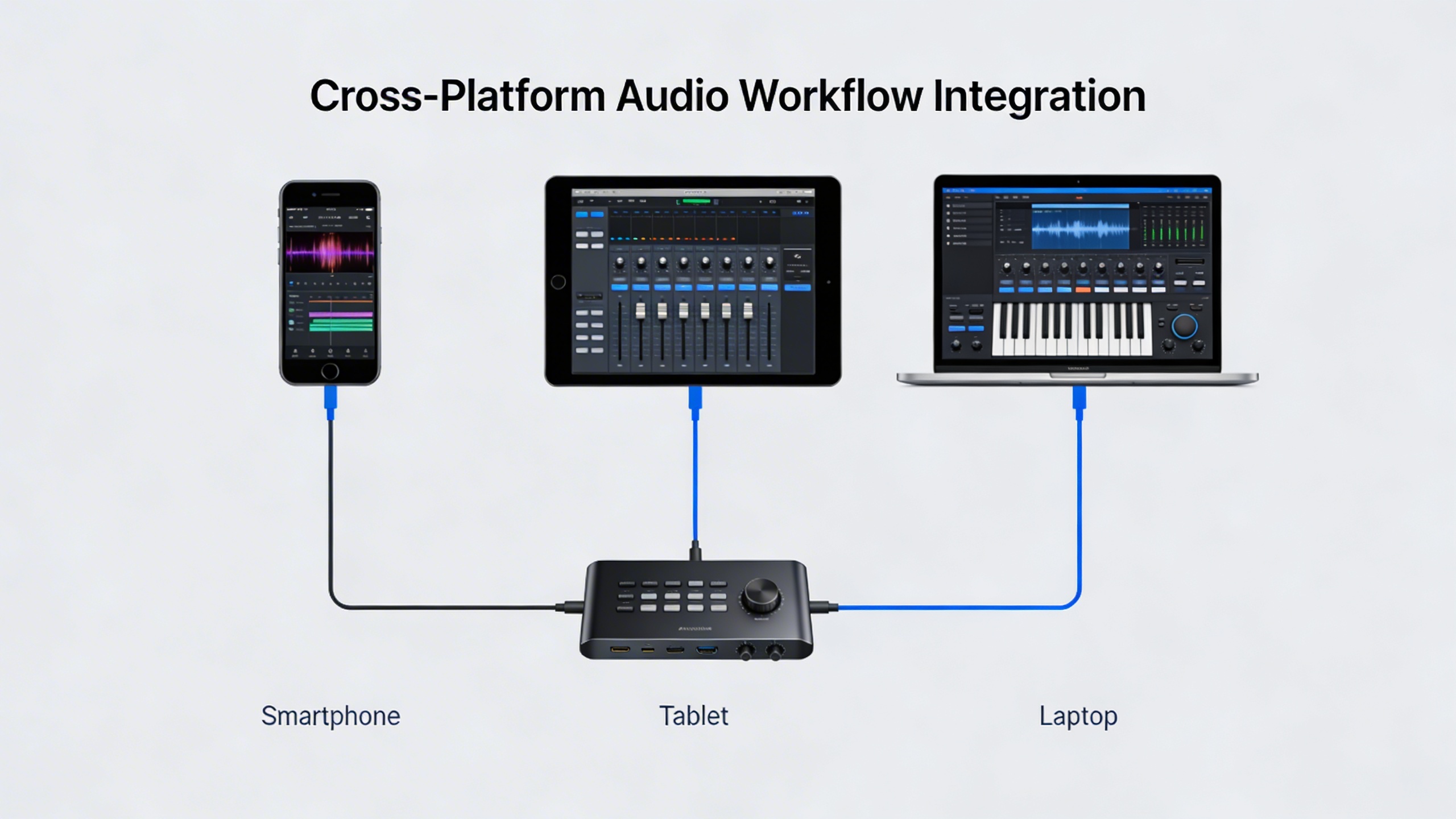
Integration capabilities with existing productivity tools can streamline your workflow significantly. Look for solutions that connect with cloud storage services, note-taking applications, or project management platforms you already use.
Editing and export options matter for post-processing efficiency. Advanced tools provide in-app editing capabilities, timestamp insertion, and multiple export formats including plain text, structured documents, and subtitle files.
Comparing Online vs Desktop Solutions
Online audio conversion platforms offer immediate accessibility and automatic updates, making them ideal for users who work across multiple devices. These solutions typically require no installation and can handle processing on powerful cloud servers, delivering faster results for large files.
However, desktop applications provide several advantages for users with specific requirements. Local processing ensures complete data privacy since your audio files never leave your device. This approach becomes essential when working with confidential information, legal recordings, or proprietary business content.
Desktop solutions also offer consistent performance regardless of internet connectivity. Users in areas with unreliable internet or those who frequently work offline benefit from the independence of local processing capabilities.
For users seeking a balance of convenience and functionality, modern applications like Sozai provide AI-powered transcription across multiple platforms while maintaining strong privacy protections and offline capabilities.
Cost considerations vary significantly between approaches. Online services often use subscription models or per-minute pricing, which can become expensive for heavy users. Desktop solutions typically involve one-time purchases or annual licenses that may prove more economical for regular use.
Security and privacy requirements should heavily influence your decision. Online platforms may store your data temporarily or permanently, while desktop solutions keep everything local. Review privacy policies carefully, especially when dealing with sensitive content that requires compliance with regulations like HIPAA or GDPR.
Performance requirements also differ based on your typical file sizes and urgency needs. Online services can leverage powerful server infrastructure for complex processing, while desktop applications depend on your local hardware capabilities.
The optimal choice often involves evaluating your specific workflow, security requirements, and budget constraints. Many users find success with hybrid approaches, using online tools for quick tasks and desktop solutions for sensitive or complex projects that require enhanced privacy and control.
Optimizing Audio Quality for Better Conversion
The quality of your audio directly impacts the accuracy of any audio to text conversion process. Whether you’re recording new content or working with existing files, implementing proper optimization techniques can dramatically improve transcription results and reduce the time spent on manual corrections.
Recording Best Practices for Clear Audio
Creating high-quality recordings from the start eliminates many conversion challenges later. Position your microphone 6-8 inches from the speaker’s mouth to capture clear vocals while minimizing breath sounds. Choose a quiet environment with minimal echo—rooms with soft furnishings like carpets and curtains naturally dampen sound reflections that can interfere with speech recognition algorithms.
Maintain consistent speaking volume throughout your recording. Sudden volume changes force transcription software to constantly readjust, leading to missed words or inaccurate interpretations. When recording meetings or interviews, use a dedicated recording device or app rather than relying on built-in phone microphones, which often compress audio and reduce clarity needed to convert audio to text effectively.
Set your recording levels to peak around -12dB to -6dB, avoiding both distortion from overloading and noise from recording too quietly. Most smartphones and computers display recording levels in real-time, making it easy to monitor and adjust as needed.
Enhancing Existing Audio Files
When working with pre-recorded content, several enhancement techniques can significantly improve conversion accuracy. Noise reduction should be your first step—use audio editing software to identify and remove consistent background hums, air conditioning sounds, or electrical interference that can confuse speech recognition systems.
Apply gentle compression to even out volume variations between speakers or sections. This ensures quieter passages aren’t lost during the audio file to text conversion process while preventing louder sections from overwhelming the algorithm. Normalize your audio to a consistent level, typically around -3dB, to provide optimal input for transcription software.
Enhance speech clarity using EQ adjustments that boost frequencies between 2-4 kHz, where most speech intelligibility occurs. Reduce frequencies below 80 Hz to eliminate rumble and above 8 kHz to minimize hiss without affecting speech comprehension.
Dealing with Background Noise and Multiple Speakers
Challenging audio scenarios require specific strategies to turn audio into text successfully. For recordings with persistent background noise, use spectral editing tools to identify and remove specific frequency ranges where noise dominates. However, be conservative—over-processing can make speech sound unnatural and actually reduce transcription accuracy.
When handling multiple speakers, consider separating tracks if possible before conversion. Many modern tools can identify different voices, but pre-processing helps ensure accurate speaker attribution. If separation isn’t possible, ensure speakers don’t talk over each other and maintain distinct speaking volumes.
For recordings with varying audio quality throughout, consider splitting the file into sections and processing each differently. A phone interview might require different enhancement settings than an in-person conversation recorded in the same session.
Advanced transcription platforms like Sozai can handle challenging audio scenarios more effectively, but proper pre-processing still improves results significantly. When multiple people speak simultaneously, even the best software struggles, so editing to minimize overlap produces better outcomes.
Remember that the goal isn’t perfect audio—it’s audio optimized for machine understanding. Sometimes this means accepting slight artificial sound in exchange for improved transcription accuracy when you convert sound to text.
Advanced Audio Conversion Techniques
As organizations scale their audio processing needs, advanced conversion techniques become essential for maintaining efficiency and accuracy. These sophisticated approaches transform how businesses handle large volumes of audio content, enabling seamless integration into existing workflows while accommodating diverse linguistic requirements.
Batch Processing and Automation
Batch processing revolutionizes how teams convert audio to text by handling multiple files simultaneously rather than processing them individually. This approach dramatically reduces manual intervention while ensuring consistent output quality across all conversions.
Modern automation systems can monitor designated folders for new audio files, automatically triggering the conversion process when content appears. These systems typically support various input formats including WAV, MP3, FLAC, and M4A files, processing them according to predefined parameters such as language settings, output formats, and quality levels.
Setting up effective batch processing requires careful consideration of file naming conventions, folder structures, and error handling protocols. Organizations often implement timestamp-based naming schemes and maintain separate directories for processed and failed conversions. Advanced systems include retry mechanisms for failed conversions and detailed logging capabilities that track processing status, completion times, and any errors encountered during the audio file to text transformation.
Cloud-based solutions offer particular advantages for large-scale operations, providing virtually unlimited processing capacity and the ability to handle peak loads without infrastructure investments. These platforms can process hundreds of hours of audio content simultaneously, making them ideal for enterprises dealing with substantial volumes of recorded meetings, interviews, or customer service calls.
Multi-Language and Accent Recognition
Advanced conversion systems excel at handling diverse linguistic content, automatically detecting languages and adapting to various accents and dialects. This capability proves crucial for global organizations dealing with multilingual audio content or customer bases spanning different regions.
Modern engines can identify over 100 languages and distinguish between regional variations, such as British versus American English or different Spanish dialects. The technology analyzes acoustic patterns, phonetic structures, and linguistic markers to determine the most appropriate language model for each audio segment.
Accent adaptation involves training algorithms on diverse speech patterns, enabling systems to turn audio into text accurately regardless of speaker background. These systems maintain separate acoustic models for different accent groups while continuously learning from new audio data to improve recognition accuracy over time.
Custom vocabulary integration allows organizations to enhance recognition accuracy for industry-specific terminology, proper nouns, and technical jargon. Users can upload glossaries containing specialized terms, acronyms, and company names, ensuring these elements appear correctly in the final text output. This feature proves particularly valuable in medical, legal, and technical fields where precision is paramount.
Integration with Workflow Systems
API integration enables seamless incorporation of audio conversion capabilities into existing business applications and workflows. RESTful APIs provide standardized endpoints for uploading audio files, monitoring conversion progress, and retrieving completed transcripts, allowing developers to embed these features directly into custom applications.
Webhook implementations notify systems immediately when conversions complete, eliminating the need for constant polling and enabling real-time workflow triggers. These notifications can include detailed metadata about the conversion process, including confidence scores, speaker identification, and timestamp information.
Enterprise workflow platforms often feature pre-built connectors for popular conversion services, simplifying integration with tools like Zapier, Microsoft Power Automate, and custom enterprise systems. These connectors handle authentication, error management, and data formatting automatically, reducing development complexity.
Advanced integrations support conditional processing based on audio characteristics such as duration, speaker count, or detected language. Systems can automatically route different types of content to appropriate processing pipelines, applying specific settings optimized for each use case. For teams requiring comprehensive voice-to-text solutions with workflow integration capabilities, platforms like Sozai offer streamlined approaches to convert sound to text while maintaining compatibility with existing business systems.
Security considerations play a vital role in workflow integration, particularly when handling sensitive audio content. Enterprise-grade solutions implement encryption in transit and at rest, maintain audit logs, and support compliance frameworks such as GDPR, HIPAA, and SOC 2.
Text-to-Speech and Reverse Conversion
While converting audio to text serves many purposes, the reverse process—transforming text back into natural-sounding speech—completes the audio conversion ecosystem. Text-to-speech (TTS) technology has evolved dramatically, offering sophisticated voice synthesis that can breathe life into written content across numerous applications.
Modern TTS systems utilize neural networks and deep learning algorithms to produce speech that closely mimics human intonation, rhythm, and emotional expression. This technology proves invaluable when you need to convert audio file to text for editing purposes, then regenerate polished audio content from your refined transcript.
Converting Text Back to Natural Speech
The process of converting text to speech involves several sophisticated steps that mirror the complexity of audio to text conversion. Advanced TTS engines analyze text structure, punctuation, and context to determine appropriate pronunciation, emphasis, and pacing. These systems can handle complex linguistic elements including abbreviations, numbers, and foreign words.
Neural TTS models create more natural-sounding speech by learning from vast datasets of human voice recordings. Unlike earlier robotic-sounding systems, modern solutions produce speech with natural pauses, inflection patterns, and emotional nuance. The quality has improved to the point where synthetic speech can be nearly indistinguishable from human recordings in many contexts.
Voice Selection and Customization
Contemporary TTS platforms offer extensive voice customization options, allowing users to select from diverse voice profiles spanning different ages, genders, accents, and speaking styles. Professional TTS solutions provide granular control over speech parameters including speed, pitch, volume, and emphasis patterns.
Advanced customization features enable users to create unique voice profiles tailored to specific brands or applications. Some platforms allow voice cloning, where the system learns to replicate a particular speaker’s vocal characteristics. This capability proves especially valuable for content creators who want consistent voice branding across their audio materials.
Many TTS systems also support SSML (Speech Synthesis Markup Language), giving users precise control over pronunciation, timing, and emotional expression. This markup language allows content creators to fine-tune how their text will sound when converted to speech.
Applications for Accessibility and Content Creation
TTS technology serves crucial accessibility functions, enabling visually impaired users to consume written content through audio. Screen readers rely on TTS engines to convert sound to text interfaces into spoken information, making digital content universally accessible. Educational institutions use TTS to support students with learning differences, providing alternative ways to engage with written materials.
Content creators leverage TTS for diverse applications including podcast production, audiobook creation, and video narration. When combined with tools that convert audio to text, creators can develop comprehensive workflows—transcribing interviews or meetings, editing the text for clarity, then generating polished audio content from the refined transcript.
TTS technology also powers voice assistants, automated customer service systems, and navigation applications. E-learning platforms use TTS to create consistent, professional-sounding course content without requiring human voice talent. Marketing teams employ TTS for creating multilingual content, allowing them to turn audio into text for translation purposes, then generate localized audio versions efficiently.
The integration of TTS with transcription workflows creates powerful content production pipelines, enabling creators to seamlessly move between text and audio formats while maintaining professional quality standards.
Troubleshooting Common Conversion Issues
Even with the best tools and preparation, audio conversion projects can encounter various technical challenges. Understanding how to identify and resolve these issues quickly will save you time and ensure consistent results when you convert audio to text or perform other conversion tasks.
Accuracy Problems and Solutions
Poor transcription accuracy remains the most frustrating challenge when attempting to turn audio into text. Background noise, multiple speakers, and unclear pronunciation create the majority of accuracy issues. Start by examining your source audio quality—recordings with signal-to-noise ratios below 20dB typically produce unreliable results.
Speaker overlap presents another common accuracy barrier. When multiple people speak simultaneously, even advanced AI systems struggle to separate individual voices. Consider using audio editing software to isolate speaker segments before processing. Additionally, technical jargon, accents, and industry-specific terminology often confuse standard conversion engines. Training custom vocabulary lists or selecting specialized models for medical, legal, or technical content significantly improves accuracy rates.
Audio normalization can resolve many accuracy problems at the source. Ensure your audio levels peak between -12dB and -6dB, and apply noise reduction filters to eliminate consistent background sounds like air conditioning or computer fans.
File Format Compatibility Issues
Format incompatibility creates unnecessary conversion bottlenecks. Most modern tools accept standard formats like MP3, WAV, and M4A, but proprietary formats from older recording devices may require preprocessing. Keep a format conversion utility ready to handle unusual file types before attempting to convert sound to text.
Codec mismatches frequently cause silent failures where files appear to load but produce no output. Verify that your chosen conversion tool supports both the container format and internal codec of your audio files. When working with compressed formats, be aware that heavy compression artifacts can significantly impact transcription quality.
Large file sizes often trigger timeout errors or memory limitations. Break lengthy recordings into smaller segments of 30-60 minutes each for more reliable processing and easier error recovery.
Performance and Speed Optimization
Slow conversion speeds typically result from insufficient system resources or inefficient processing workflows. Monitor your CPU and memory usage during conversion tasks—transcription engines can consume substantial computational power, especially when processing multiple files simultaneously.
Network connectivity affects cloud-based conversion services significantly. Unstable internet connections cause upload failures and incomplete processing. For critical projects, consider using local processing tools or ensuring robust internet connectivity before starting large batch conversions.
Optimize your workflow by preprocessing audio files in batches rather than individually. This approach reduces overhead and allows you to address systematic issues across multiple files simultaneously. When converting audio file to text content regularly, establish standardized preprocessing steps to maintain consistent quality and reduce troubleshooting time.

