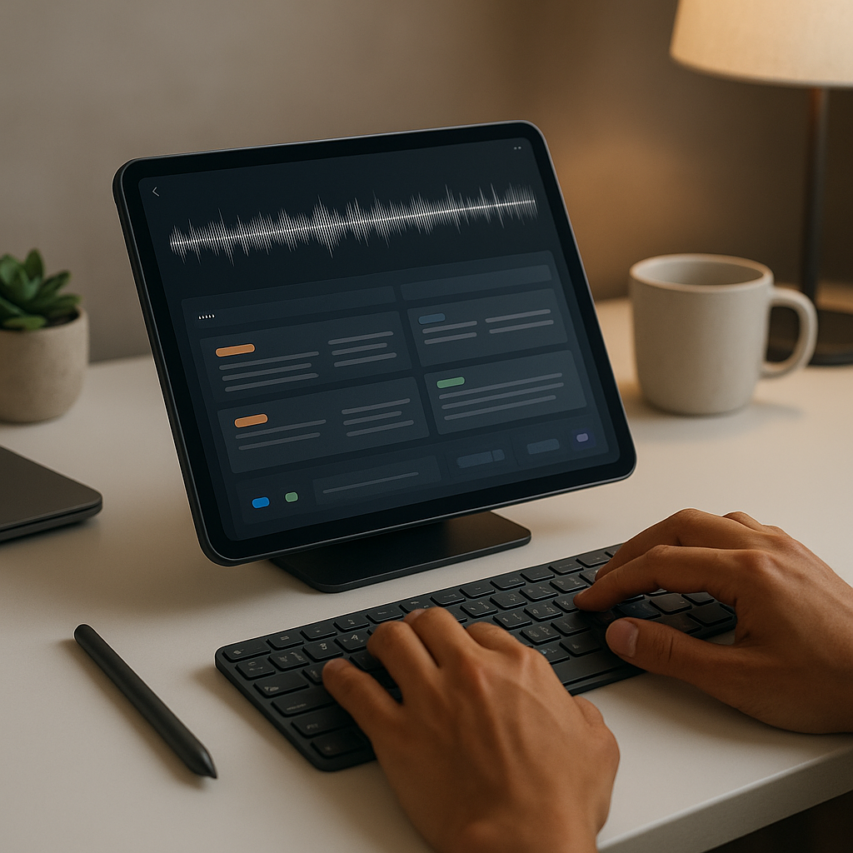
The digital revolution has fundamentally transformed how we capture, organize, and retrieve information, with ai note taking emerging as one of the most significant productivity breakthroughs of our time. Gone are the days of frantically scribbling notes during meetings or struggling to decipher handwritten reminders weeks later. Today’s intelligent note-taking systems leverage artificial intelligence to automatically transcribe spoken words, intelligently categorize content, and provide contextual search capabilities that make finding specific information effortless. These smart notes platforms can understand the nuance of human speech, identify key topics, and even suggest relevant connections between different pieces of information.
Modern ai note taker applications have evolved far beyond simple text capture tools. They now serve as comprehensive knowledge management systems that can process both written and spoken content, extract actionable insights, and seamlessly integrate with existing workflows. Whether you’re a student attending lectures, a professional managing complex projects, or an entrepreneur juggling multiple ventures, the right note taker ai solution can dramatically enhance your ability to capture, organize, and act on information.
This comprehensive guide explores the cutting-edge world of ai notetaker technology, examining essential features, comparing top platforms, and providing practical strategies to maximize your productivity through intelligent note-taking systems.
Understanding AI-Powered Note-Taking Technology
The evolution from traditional pen-and-paper note-taking to intelligent digital systems represents one of the most significant productivity advances in recent years. AI note taking has fundamentally changed how we capture, organize, and retrieve information, transforming scattered thoughts into structured, searchable knowledge bases that adapt to our unique workflows.
How AI Transforms Traditional Note-Taking
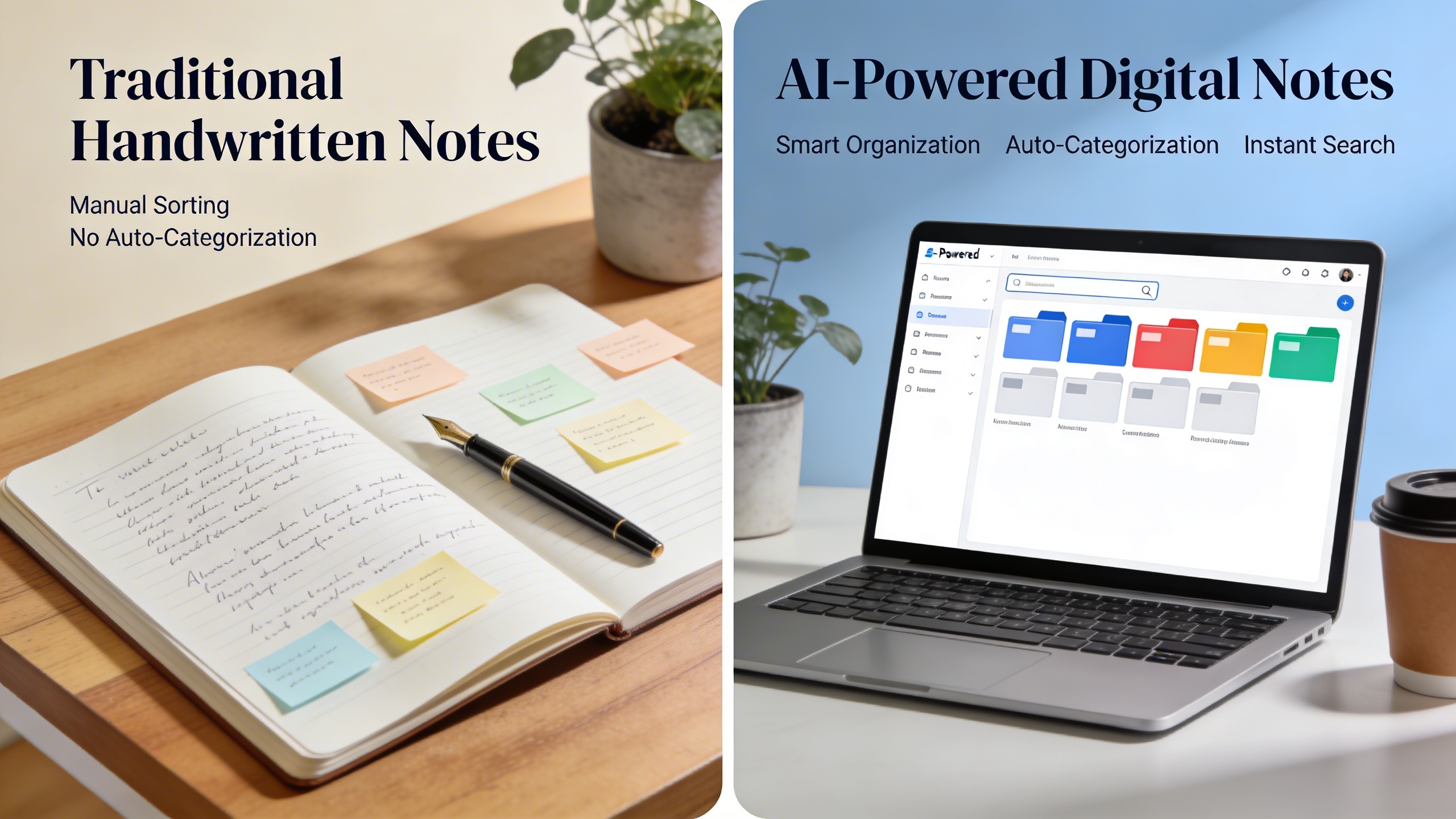
Traditional note-taking relies heavily on manual effort—writing by hand, typing verbatim, and organizing content through folder structures that often become unwieldy over time. Modern ai note taker systems eliminate these bottlenecks by understanding context, extracting key concepts automatically, and creating connections between related information across different notes and sessions.
The transformation occurs at multiple levels. Instead of frantically scribbling during meetings or lectures, users can speak naturally while the system captures every word with remarkable accuracy. The technology goes beyond simple transcription by identifying speakers, highlighting action items, and even suggesting relevant follow-up tasks based on conversation content.
This shift from passive recording to active intelligence means that smart notes become living documents that evolve with your needs. The system learns from your patterns, understanding which topics you frequently discuss, how you prefer to organize information, and what types of content you typically search for later.
Core AI Features in Modern Note-Taking Apps
Natural language processing forms the backbone of effective ai notetaker applications. This technology enables systems to understand context, sentiment, and meaning rather than simply processing words as isolated data points. When you dictate notes about a project meeting, the system recognizes technical terms, proper nouns, and industry-specific vocabulary while maintaining accuracy across different accents and speaking speeds.
Automatic transcription capabilities have reached impressive levels of sophistication, with leading platforms achieving accuracy rates above 95% in optimal conditions. Real-time voice recognition allows for seamless capture during fast-paced conversations, while advanced algorithms can distinguish between multiple speakers and attribute comments accordingly.
Smart categorization systems analyze content automatically, applying relevant tags and organizing notes into logical groupings without manual intervention. These systems recognize patterns in your note-taking habits and can predict appropriate categories for new content based on keywords, context, and historical data.
Contextual search functionality represents perhaps the most powerful feature of modern note taker ai systems. Rather than relying on exact keyword matches, these tools understand semantic relationships and can locate relevant information even when you remember only fragments of the original content. Searching for “budget discussion” might surface notes containing “financial planning,” “cost analysis,” or “expense review” based on contextual understanding.
Benefits of Intelligent Note Organization
The organizational capabilities of AI-powered systems extend far beyond simple folder structures. Intelligent note organization creates dynamic relationships between pieces of information, allowing users to discover connections they might have missed manually. When working on a complex project, the system can automatically surface related notes from previous meetings, research sessions, or brainstorming activities.
Time savings represent the most immediate benefit for most users. Advanced transcription tools like Sozai can convert hours of recorded meetings into organized, searchable text within minutes, complete with speaker identification and key topic extraction. This efficiency gain allows professionals to focus on analysis and action rather than administrative tasks.
The consistency of AI-powered organization ensures that information remains accessible regardless of how much content accumulates over time. Unlike manual systems that deteriorate as volume increases, intelligent note-taking platforms become more effective as they learn from larger datasets and user interactions.
Enhanced collaboration emerges naturally from standardized, searchable note formats. Team members can quickly locate relevant information across shared note repositories, while automatic summarization features help newcomers understand project history without reading through extensive archives.
The predictive capabilities of modern systems also contribute to improved productivity by suggesting relevant templates, recommending related content, and identifying potential action items that might otherwise be overlooked in lengthy transcriptions or complex meeting notes.
Essential Features to Look for in AI Note-Taking Tools
Selecting the right ai note taking solution requires careful consideration of features that directly impact your productivity and workflow efficiency. The best ai note taker applications combine advanced technology with intuitive design to transform how you capture, organize, and access information across different environments.
Real-Time Transcription and Voice Recognition
The foundation of any effective ai notetaker lies in its ability to accurately convert spoken words into written text. High-quality speech-to-text conversion should maintain at least 95% accuracy across various accents, speaking speeds, and background noise conditions. Look for tools that support multiple languages and can distinguish between different speakers in group settings.
Advanced voice recognition systems adapt to your speaking patterns over time, improving accuracy through machine learning algorithms. The best solutions process audio in real-time without noticeable delays, allowing you to maintain natural conversation flow during meetings or lectures. Consider tools that offer offline transcription capabilities for situations where internet connectivity is unreliable.
When evaluating transcription quality, test the software with technical terminology specific to your field. Medical professionals, legal experts, and engineers require ai note taking tools that accurately capture specialized vocabulary and industry jargon. Sozai exemplifies this approach by providing robust voice recognition that adapts to professional contexts while maintaining consistent accuracy across different use cases.
Smart Organization and Auto-Categorization
Intelligent content analysis separates exceptional smart notes applications from basic transcription services. Advanced ai note taker tools automatically identify key themes, extract action items, and highlight important concepts within your notes. This functionality saves hours of manual review and ensures critical information never gets buried in lengthy transcripts.
Auto-categorization features should recognize patterns in your note-taking habits and suggest relevant tags or folders. The system might automatically sort meeting notes by project, categorize research findings by topic, or flag urgent tasks for immediate attention. Look for customizable tagging systems that learn from your organizational preferences over time.
Effective smart organization includes powerful search capabilities that go beyond simple keyword matching. The best note taker ai solutions understand context and can locate information based on concepts rather than exact phrases. This semantic search functionality proves invaluable when trying to recall specific details from extensive note archives.
Cross-Platform Synchronization and Accessibility
Modern productivity demands seamless access to your notes across all devices and platforms. Essential ai note taking tools synchronize data instantly between smartphones, tablets, laptops, and desktop computers. This synchronization should preserve formatting, attachments, and organizational structure regardless of which device you use to access your content.
Cloud-based storage ensures your notes remain accessible even when switching between personal and professional devices. However, prioritize solutions that offer robust offline functionality, allowing you to continue taking and reviewing notes without internet connectivity. Changes made offline should sync automatically once connection is restored.
Accessibility features extend beyond device compatibility to include support for users with different abilities. Quality ai notetaker applications offer adjustable text sizes, high-contrast viewing modes, and compatibility with screen readers. Voice commands for navigation and editing prove particularly valuable for hands-free operation during driving or multitasking scenarios.
Integration capabilities with existing productivity ecosystems significantly enhance workflow efficiency. Your chosen smart notes solution should connect seamlessly with calendar applications, project management tools, and communication platforms. This integration allows automatic meeting transcription, task creation from note content, and easy sharing of relevant information with team members.
Collaborative features represent another crucial consideration for team environments. Look for note taker ai tools that support real-time collaboration, comment threads, and permission-based sharing. Team members should be able to contribute to shared notes while maintaining version control and edit history tracking.
Security and privacy protections cannot be overlooked when selecting ai note taking software. Choose providers that offer end-to-end encryption, comply with relevant data protection regulations, and provide clear policies regarding data usage and storage. Enterprise users may require additional features like single sign-on integration and administrative controls for user management.
The ideal ai note taker combines these essential features into a cohesive platform that enhances rather than complicates your workflow. Prioritize solutions that offer free trials or demo periods, allowing you to evaluate how well the features align with your specific needs before making a commitment.
Top AI Note-Taking Applications for Different Use Cases
The landscape of ai note taking applications has evolved to serve distinct user needs, with specialized tools emerging for different contexts and workflows. Rather than settling for a one-size-fits-all solution, today’s professionals, students, and creatives can choose from purpose-built platforms that excel in their specific domains. Understanding which ai note taker works best for your primary use case ensures you maximize both productivity and the quality of your digital organization.
Best Tools for Meeting Transcription and Business Notes
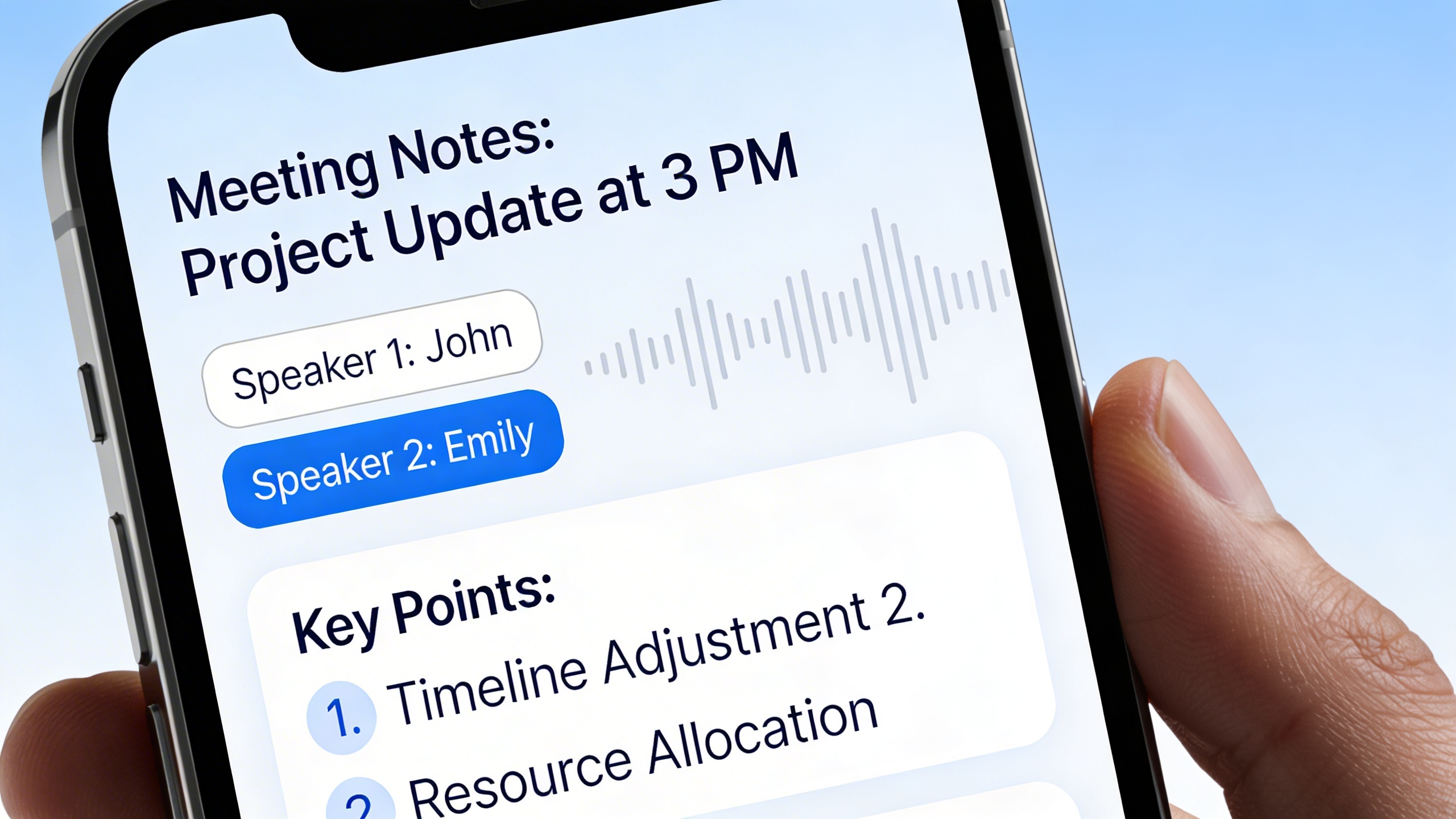
Professional environments demand ai note taking solutions that can handle complex business discussions with accuracy and intelligence. The most effective meeting-focused platforms combine real-time transcription with speaker identification, allowing teams to track who said what during important conversations.
Otter.ai leads this category with robust speaker recognition and integration capabilities across major video conferencing platforms. The service automatically identifies different voices in meetings, creating organized transcripts that teams can reference and search later. For organizations requiring comprehensive meeting documentation, Otter’s ability to generate summary highlights and action items transforms lengthy discussions into actionable insights.
Fireflies.ai excels in CRM integration, automatically capturing meeting details and syncing them with sales pipelines. This ai notetaker specializes in business contexts, offering features like conversation analytics and custom topic tracking that help sales teams identify key discussion points and follow-up opportunities.
For users seeking a versatile solution that works across multiple platforms, Sozai provides reliable transcription capabilities with cross-device synchronization, making it easy to capture and access meeting notes whether you’re on mobile, desktop, or tablet.
Ideal Solutions for Academic Research and Study Notes
Academic environments require ai note taking tools that go beyond simple transcription to support research workflows and knowledge synthesis. The best academic-focused platforms integrate citation management, research organization, and collaborative features that enhance scholarly work.
Notion AI stands out for students and researchers who need to combine note taking with project management and database functionality. Its smart notes feature can summarize complex academic texts, generate study guides, and help organize research across multiple subjects. The platform’s block-based structure allows users to create interconnected knowledge bases that grow more valuable over time.
Roam Research revolutionizes academic note taking through its bidirectional linking system, enabling users to create networks of connected ideas. This note taker ai approach mirrors how human knowledge actually works, making it particularly valuable for literature reviews, thesis research, and interdisciplinary studies where concepts frequently overlap.
Obsidian offers similar graph-based organization with enhanced customization options. Students can build personal knowledge management systems that adapt to their specific research methodologies, whether they’re working on scientific papers, historical analysis, or creative dissertations.
Optimal Apps for Creative Writing and Personal Journaling
Creative professionals and personal users need ai note taking solutions that inspire rather than restrict, offering features that spark creativity while maintaining the spontaneity essential to artistic expression.
Craft combines elegant design with powerful organizational features, making it ideal for writers who value both aesthetics and functionality. Its ai note taker capabilities include intelligent formatting suggestions and content structuring that helps transform scattered thoughts into coherent narratives. The platform’s block-linking system allows creative writers to build complex story worlds and character databases.
Day One has evolved beyond traditional journaling to incorporate smart notes features that analyze writing patterns and suggest reflection prompts. For personal productivity and self-reflection, this ai notetaker offers mood tracking, photo integration, and location-based memories that create rich, searchable personal archives.
Ulysses caters specifically to long-form writers, offering distraction-free environments combined with intelligent organization tools. Its ai note taking features include automatic text analysis, goal tracking, and export options that streamline the journey from initial notes to published work.
The key to selecting the right ai note taking application lies in matching your primary use case with the tool’s core strengths. Business professionals benefit most from platforms with strong transcription and collaboration features, while academics need robust research organization capabilities. Creative users should prioritize tools that enhance rather than constrain their natural workflow, ensuring that technology supports rather than interrupts their creative process.
Comparing AI Note-Taking Platforms: Features and Capabilities
The landscape of ai note taking platforms varies dramatically in terms of functionality, accuracy, and value proposition. Understanding these differences helps you select the most suitable ai note taker for your specific workflow requirements and budget constraints.
Transcription Accuracy and Language Support
Transcription accuracy serves as the foundation of any effective note taker ai system. Leading platforms typically achieve 85-95% accuracy rates under optimal conditions, though performance varies significantly based on audio quality, speaker accents, and background noise levels.
Multi-language support has become increasingly sophisticated across major platforms. Most comprehensive ai notetaker solutions now handle 50+ languages, with some supporting over 100 dialects and regional variations. This capability proves essential for international teams, multilingual meetings, and global business operations.
Real-time transcription performance differs substantially between platforms. Some excel at live meeting transcription but struggle with recorded audio processing, while others demonstrate consistent accuracy across both scenarios. Advanced systems now incorporate speaker identification, automatically attributing quotes to specific participants in multi-person conversations.
Dialect recognition capabilities vary considerably. Platforms trained on diverse datasets typically handle regional accents, industry-specific terminology, and technical jargon more effectively. For specialized fields like medical or legal work, look for platforms offering custom vocabulary training or domain-specific language models.
Integration Capabilities and Workflow Enhancement
Modern smart notes platforms distinguish themselves through seamless integration with existing productivity ecosystems. The most valuable solutions connect with calendar applications, video conferencing tools, project management systems, and cloud storage services.
API connectivity enables custom workflow automation. Advanced users can create automated pipelines that trigger transcription, distribute summaries, and update project databases without manual intervention. This capability transforms ai note taking from a standalone tool into an integrated productivity multiplier.
| Integration Category | Common Platforms | Key Benefits |
|---|---|---|
| Video Conferencing | Zoom, Teams, Google Meet | Automatic meeting capture, participant sync |
| Productivity Suites | Microsoft 365, Google Workspace | Document export, calendar integration |
| Project Management | Slack, Notion, Asana | Task creation, team collaboration |
| Cloud Storage | Dropbox, OneDrive, iCloud | Automatic backup, cross-device sync |
Third-party app connectivity extends platform utility beyond basic transcription. The most sophisticated ai note taker solutions offer webhook support, allowing real-time data sharing with CRM systems, email platforms, and business intelligence tools. This connectivity enables automatic lead capture from sales calls, compliance documentation, and performance analytics.
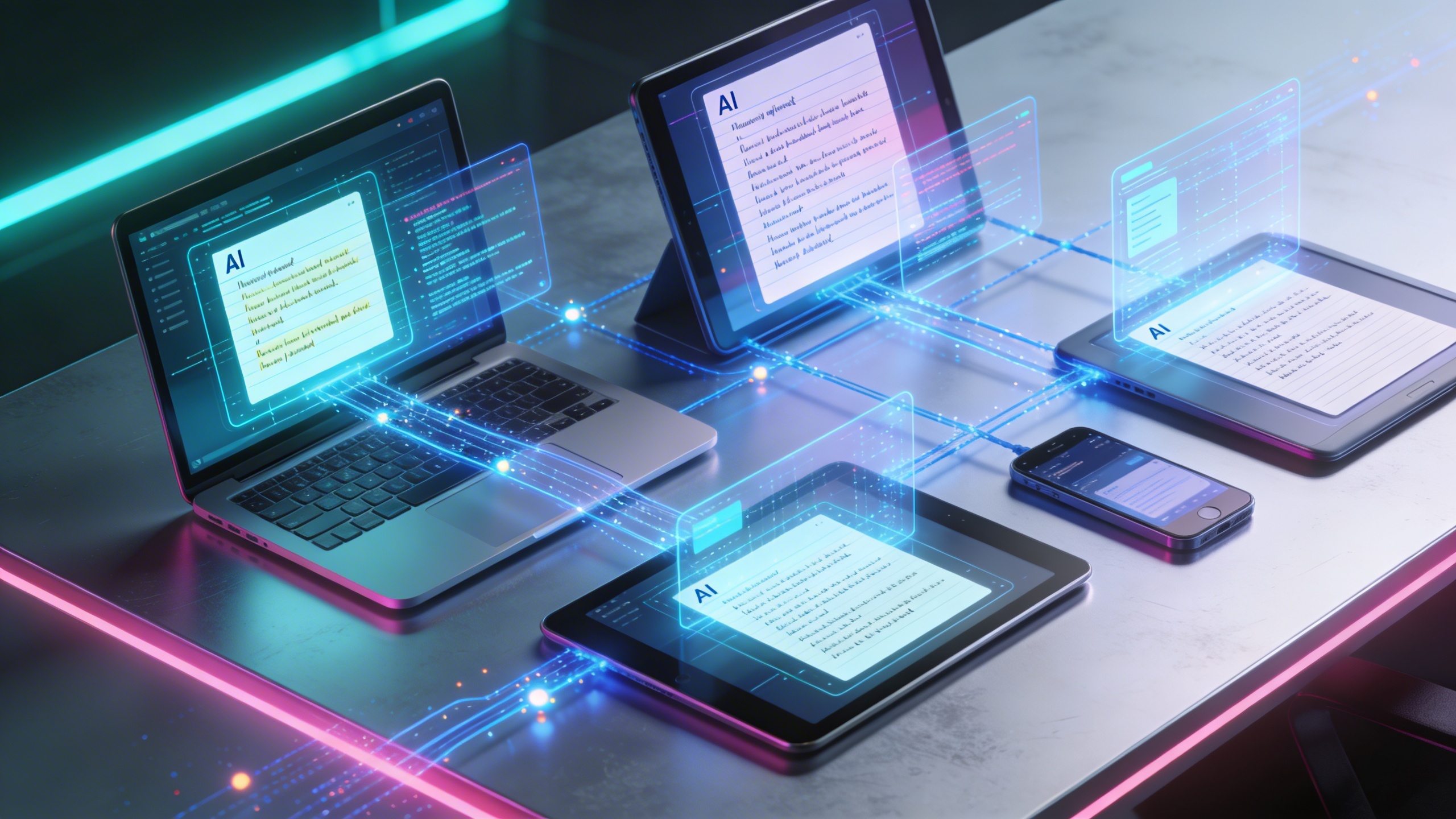
Cross-platform synchronization ensures consistent access across devices. Leading platforms maintain feature parity between web, mobile, and desktop applications, enabling seamless transitions between different work environments. For users seeking reliable transcription across multiple devices, solutions like Sozai provide consistent performance across iOS, Android, and macOS platforms.
Pricing Models and Value Propositions
Pricing structures for ai note taking platforms typically follow three models: freemium, subscription-based, and usage-based billing. Each approach offers distinct advantages depending on usage patterns and organizational requirements.
Freemium models provide basic transcription capabilities with limitations on monthly minutes, storage capacity, or advanced features. These tiers work well for individual users with light usage but often restrict essential business features like team collaboration, custom integrations, or priority processing.
Subscription-based pricing offers predictable costs with tiered feature access. Entry-level plans typically range from $10-20 monthly, providing sufficient capacity for individual professionals. Enterprise tiers, costing $50-200+ per user monthly, include advanced analytics, unlimited transcription, and dedicated support.
Usage-based billing charges per minute of transcription or processing time. This model benefits organizations with irregular usage patterns but can become expensive for heavy users. Calculate your typical monthly transcription volume to determine the most cost-effective approach.
Value assessment requires considering total cost of ownership beyond subscription fees. Factor in training time, integration complexity, and productivity gains when evaluating different smart notes platforms. The most expensive option may deliver superior ROI through time savings and workflow automation capabilities.
Hidden costs often emerge in data export limitations, storage fees, or premium support charges. Review terms carefully to understand long-term expenses and migration flexibility should you need to switch platforms later.
Maximizing Productivity with AI Note-Taking Strategies
Transforming your note-taking process into a productivity powerhouse requires more than just selecting the right AI note taking tool. The key lies in implementing strategic approaches that leverage artificial intelligence capabilities while establishing sustainable workflows that enhance your daily productivity.
Optimizing Voice Input and Dictation Techniques
Voice recording quality directly impacts transcription accuracy and overall effectiveness of your ai note taker. Position your recording device 6-12 inches from your mouth and speak at a consistent pace, avoiding rushed delivery that can confuse AI processing algorithms. Background noise reduction becomes critical—choose quiet environments or use noise-canceling microphones when recording important meetings or lectures.
Develop a clear speaking pattern by pausing naturally between thoughts and pronouncing technical terms or proper nouns deliberately. Many smart notes applications learn from your voice patterns over time, so consistent usage improves accuracy. When using Sozai for transcription tasks, the AI adapts to your speaking style and frequently used terminology, creating more precise outputs with regular use.
Practice structured dictation by organizing thoughts before speaking. Start with main topics, then elaborate on supporting details. This approach creates naturally organized content that requires minimal post-processing, saving valuable editing time.
Leveraging Smart Search and Content Discovery
Advanced search capabilities distinguish professional ai notetaker solutions from basic text storage systems. Master Boolean search operators to combine multiple terms effectively—use AND, OR, and NOT operators to narrow results precisely. Search by date ranges, content types, or specific tags to locate information quickly across extensive note collections.
Implement semantic search techniques that go beyond exact keyword matches. Modern note taker ai systems understand context and relationships between concepts, allowing searches for ideas rather than specific phrases. For example, searching “budget planning” might surface notes containing “financial forecasting” or “expense management” without those exact terms appearing in your query.
Create custom filters based on project categories, priority levels, or content sources. Establish consistent tagging systems that enable rapid content discovery—use hierarchical tags like “Project-Marketing-Q4” to create searchable organizational structures that scale with your growing note database.
Building Effective Note-Taking Workflows
Workflow automation eliminates repetitive tasks and ensures consistent note organization. Design templates for recurring meeting types, project kickoffs, or research sessions. Include standardized sections for action items, key decisions, and follow-up tasks that integrate seamlessly with your existing productivity systems.
Establish integration touchpoints between your ai note taking platform and calendar applications, task managers, and communication tools. Automatic meeting note creation, deadline extraction, and contact linking streamline information flow across your digital workspace. Configure notifications for important note updates or when specific keywords appear in new content.
Develop review cycles that maximize note value over time. Schedule weekly reviews to process action items, update project statuses, and archive completed initiatives. Monthly deep reviews help identify knowledge gaps and optimize your note-taking categories for improved future organization.
Time-blocking specific periods for note processing prevents information overload while maintaining system integrity. Dedicate 15-20 minutes daily to organizing, tagging, and connecting new notes with existing content, creating a comprehensive knowledge base that grows more valuable with consistent maintenance.
Future Trends and Innovations in AI Note-Taking
The landscape of ai note taking continues to evolve rapidly, driven by breakthrough advancements in machine learning, expanded device connectivity, and growing awareness of data privacy requirements. These developments promise to transform how professionals capture, organize, and interact with their digital notes across all aspects of work and personal productivity.
Emerging AI Technologies in Note-Taking
Machine learning algorithms are becoming increasingly sophisticated in understanding context, emotion, and intent within spoken and written content. Advanced natural language processing models now recognize subtle nuances in conversation, enabling smart notes to automatically categorize information by urgency, topic relevance, and action items without manual intervention.
Computer vision integration represents another significant advancement, allowing ai note taker applications to process handwritten text, diagrams, and visual elements from whiteboards or documents. This capability bridges the gap between analog and digital note-taking, ensuring no information gets lost during brainstorming sessions or collaborative meetings.
Real-time language translation and cross-cultural communication features are expanding globally, enabling teams from different linguistic backgrounds to collaborate seamlessly. These innovations make ai notetaker tools invaluable for international business operations and remote team coordination.
Integration with Advanced Productivity Ecosystems
The Internet of Things is creating unprecedented opportunities for seamless note capture across multiple touchpoints. Smart conference rooms equipped with ambient microphones can automatically detect meeting participants and generate personalized note summaries for each attendee based on their role and interests.
Wearable technology integration allows note taker ai systems to capture thoughts and reminders through voice commands during commutes, exercise routines, or other activities where traditional note-taking methods prove impractical. This ambient computing approach ensures important insights are never lost due to inconvenient timing.
Calendar and project management integration continues to deepen, with ai note taking platforms automatically scheduling follow-up tasks, sending relevant excerpts to team members, and creating searchable knowledge bases from accumulated meeting data. These integrations eliminate the friction between capturing information and acting upon it.
Privacy and Security Considerations
Data encryption standards are evolving to address the sensitive nature of business communications and personal thoughts stored within note-taking applications. End-to-end encryption ensures that even service providers cannot access user content, while advanced key management systems protect against unauthorized access attempts.
Ethical AI development focuses on transparency in algorithmic decision-making, particularly regarding how smart notes are categorized, prioritized, and shared within organizations. Users increasingly demand clear explanations of how their data influences AI recommendations and content organization.
Local processing capabilities are expanding to reduce dependence on cloud-based analysis, allowing sensitive information to remain on user devices while still benefiting from AI-powered insights. This hybrid approach balances functionality with privacy concerns, particularly for legal, medical, and financial professionals who handle confidential information.
Regulatory compliance frameworks are emerging to govern AI note-taking in professional environments, ensuring that automated transcription and analysis meet industry standards for data retention, audit trails, and user consent management.
Choosing the Right AI Note-Taking Tool for Your Needs
Selecting the ideal AI note-taking solution requires careful consideration of your specific requirements, workflow patterns, and long-term productivity goals. The abundance of available options makes it essential to approach this decision systematically, ensuring your chosen platform aligns perfectly with your note-taking habits and organizational needs.
Assessing Your Note-Taking Requirements
Begin by evaluating whether you need an ai note taker primarily for personal organization or professional collaboration. Personal users often prioritize simplicity, cross-device synchronization, and intuitive search capabilities, while professionals typically require advanced sharing features, integration with business tools, and robust security protocols.
Consider your primary input methods when evaluating smart notes applications. If you frequently dictate thoughts while commuting or walking, prioritize platforms with exceptional voice recognition accuracy. For meeting-heavy professionals, focus on tools that excel at real-time transcription and speaker identification. Visual learners should seek platforms offering advanced formatting options and multimedia integration capabilities.
Analyze your existing digital ecosystem to identify necessary integrations. Teams using Microsoft 365 benefit from seamless SharePoint connectivity, while creative professionals might prioritize Adobe Creative Suite compatibility. Document your current tools and workflows to ensure your selected ai notetaker enhances rather than disrupts your established processes.
Trial Strategies and Implementation Tips
Most reputable note taker ai platforms offer free trials or freemium versions that provide valuable insight into their core functionality. Create a structured evaluation process by testing each candidate with identical content types and scenarios that mirror your typical usage patterns.
Establish specific testing criteria including transcription accuracy rates, search functionality effectiveness, and collaboration features. Document your experiences with each platform’s learning curve and note any friction points that could impede long-term adoption. For voice-heavy workflows, tools like Sozai offer excellent transcription capabilities that work seamlessly across multiple devices and platforms.
Involve team members or family members in your evaluation process if collaborative features matter for your use case. Their feedback often reveals usability issues and workflow conflicts that might not be immediately apparent during solo testing.
Migration and Setup Best Practices
Plan your data migration strategy carefully to avoid losing valuable historical information. Most ai note taking platforms provide import tools for common formats, but complex formatting and embedded media may require manual adjustment. Create backup copies of all existing notes before initiating any migration process.
Implement your new system gradually rather than attempting a complete overnight transition. Start by using your chosen platform for new notes while maintaining access to legacy systems. This approach allows you to develop familiarity with advanced AI features without disrupting critical ongoing projects.
Establish consistent naming conventions and organizational structures from day one. Well-organized smart notes systems become exponentially more valuable over time, making initial setup decisions crucial for long-term success and productivity enhancement.

