Video content dominates the digital landscape, but without proper subtitles, creators risk losing significant portions of their audience. Whether you’re producing educational content, marketing videos, or entertainment media, learning how to add subtitles to video content has become essential for maximizing reach and engagement. Subtitles break down language barriers, improve accessibility for hearing-impaired viewers, and boost SEO performance by making your content searchable and discoverable across platforms.
The benefits extend far beyond accessibility—studies show that videos with subtitles experience up to 80% higher completion rates and significantly improved viewer comprehension. Subtitles for videos also enable silent viewing in noise-sensitive environments, making your content more versatile and user-friendly. From busy commuters watching on muted phones to international audiences consuming content in their second language, subtitles transform passive viewers into engaged audiences.
This comprehensive guide walks you through everything needed to create subtitles for video content effectively. You’ll discover automated and manual subtitle creation methods, platform-specific requirements, optimization strategies, and step-by-step implementation processes that professional content creators use to enhance their video accessibility and reach global audiences successfully.
Why Video Subtitles Are Essential for Modern Content
In today’s digital landscape, the decision to add subtitles to video content has evolved from a nice-to-have feature to an absolute necessity. Whether you’re creating educational content, marketing videos, or entertainment media, subtitles serve multiple critical functions that directly impact your content’s reach, engagement, and legal compliance. Understanding these benefits will help you prioritize subtitle creation as an integral part of your video production workflow.
Accessibility and Legal Compliance
The most fundamental reason to create subtitles for video content centers on accessibility and legal requirements. The Americans with Disabilities Act (ADA) mandates that digital content be accessible to individuals with hearing impairments, and this requirement extends to video content across websites, educational platforms, and public-facing digital media. Organizations that fail to provide adequate subtitles for videos risk facing costly lawsuits and compliance violations.
Beyond legal obligations, accessibility represents a moral imperative to ensure equal access to information. Approximately 466 million people worldwide experience disabling hearing loss, according to the World Health Organization. When you implement subtitles for videos, you’re not just checking a compliance box—you’re opening your content to a significant portion of the global population who might otherwise be excluded from your message.
Modern accessibility standards require subtitles to include not only spoken dialogue but also sound effects, music cues, and speaker identification. This comprehensive approach ensures that viewers with hearing impairments receive the full context of your video content, creating an inclusive viewing experience that benefits everyone.
SEO Benefits and Discoverability
Search engines cannot watch videos, but they can read and index subtitle text, making video subtitle creation a powerful SEO strategy. When you add subtitles to video content, you’re essentially providing search engines with a complete transcript of your video’s spoken content, dramatically increasing the chances of your content appearing in relevant search results.
Subtitle text becomes part of your page’s searchable content, allowing your videos to rank for long-tail keywords and phrases that viewers might use when searching for specific information. This expanded keyword coverage can lead to significant increases in organic traffic, as your content becomes discoverable through text-based searches that wouldn’t otherwise connect to your video.
The SEO benefits extend beyond simple keyword matching. Videos with subtitles typically experience longer watch times and lower bounce rates, both of which are positive ranking signals for search algorithms. Additionally, subtitle files can be submitted to video platforms like YouTube as separate text tracks, providing another layer of content indexing that improves your video’s discoverability across multiple platforms.
Global Audience Reach
The global nature of digital content consumption makes subtitle creator for videos an essential tool for international market expansion. Even when your content is produced in widely spoken languages like English, subtitles significantly improve comprehension for non-native speakers and viewers in noisy environments where audio quality might be compromised.
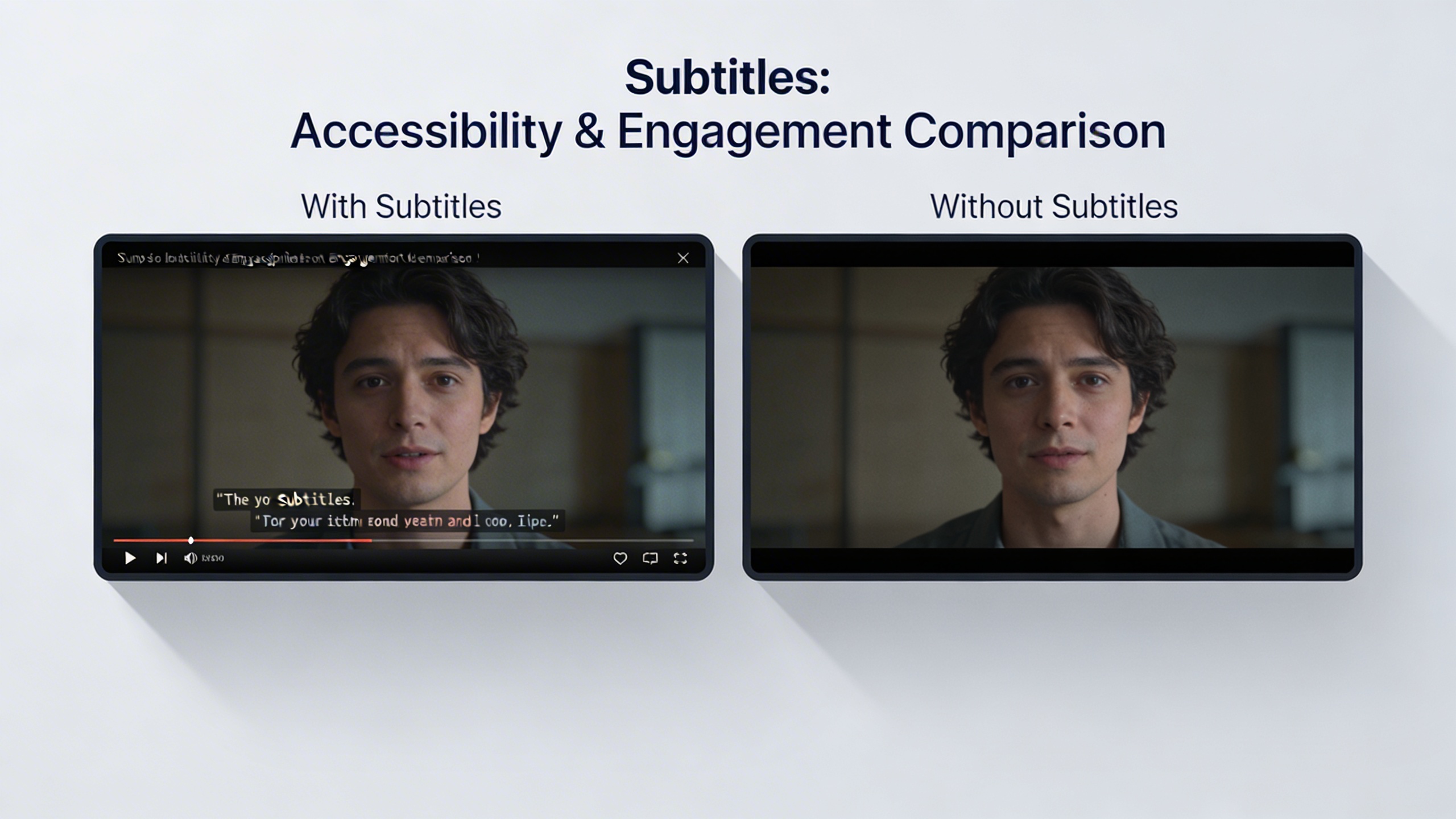
Research indicates that videos with subtitles receive 40% more views than those without, and this number increases dramatically when considering international audiences. Subtitles serve as a bridge between languages and cultures, allowing content creators to reach markets that would otherwise remain inaccessible without expensive dubbing or complete content recreation.
The mobile viewing revolution has further amplified the importance of subtitles. Studies show that 85% of Facebook videos are watched without sound, and similar patterns exist across other social media platforms. When viewers encounter your content in sound-sensitive environments like public transportation, offices, or late-night browsing sessions, subtitles become the primary means of content consumption.
For content creators looking to streamline their subtitle workflow, tools like Sozai can automatically generate accurate transcriptions from video audio, significantly reducing the time investment required for professional subtitle creation while maintaining the quality standards necessary for effective communication.
The investment in comprehensive subtitle creation pays dividends across accessibility, discoverability, and audience expansion, making it one of the most cost-effective improvements you can make to your video content strategy.
Understanding Different Types of Video Subtitles
Before you add subtitles to video content, understanding the various subtitle types and formats will help you choose the right approach for your specific needs. Different platforms and use cases require different subtitle implementations, and making the wrong choice can impact both viewer experience and your workflow efficiency.
Closed Captions vs Open Captions
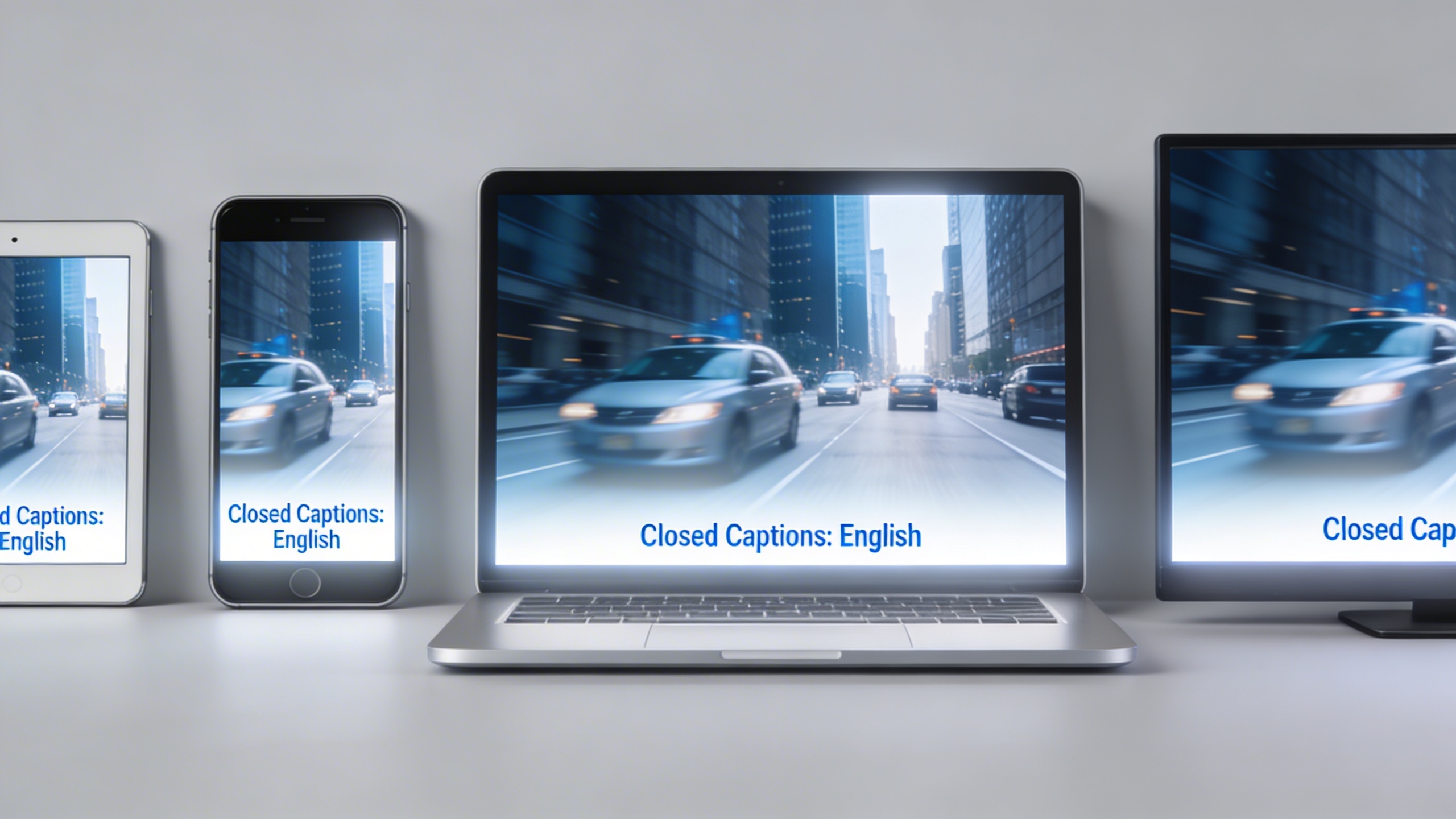
The fundamental distinction when you create subtitles for video lies between closed and open captions. Closed captions appear as separate, toggleable text overlays that viewers can turn on or off at will. These softcoded subtitles exist as external files or embedded tracks within the video container, making them ideal for platforms like YouTube, Vimeo, and streaming services where accessibility options matter.
Open captions, conversely, are permanently burned into the video image itself—also known as hardcoded subtitles. Once rendered, viewers cannot disable these subtitles, making them perfect for social media platforms where autoplay videos need immediate text visibility. Instagram Stories, TikTok, and Facebook video ads frequently use open captions because they guarantee subtitle visibility regardless of platform settings or user preferences.
Subtitle File Formats and Standards
Professional video subtitle creation relies on several standardized file formats, each serving different technical requirements and platform compatibility needs.
SRT (SubRip Text) remains the most widely supported format across video platforms and editing software. Its simple plain-text structure includes timestamps and subtitle text, making it perfect for basic subtitles for videos without complex formatting requirements. Most subtitle creator for videos tools export SRT files by default due to their universal compatibility.
VTT (Web Video Text Tracks) offers enhanced functionality for web-based video players, supporting styling options like text positioning, colors, and background formatting. HTML5 video players and modern streaming platforms increasingly favor VTT files for their flexibility and web-standard compliance.
ASS (Advanced SubStation Alpha) provides sophisticated styling capabilities including custom fonts, animations, and precise positioning controls. While less commonly used for standard content, ASS formats excel in scenarios requiring complex visual presentation or creative subtitle designs.
| Format | Best Use Case | Styling Options | Platform Support |
|---|---|---|---|
| SRT | General video content | Basic text only | Universal |
| VTT | Web streaming | Moderate styling | Modern browsers |
| ASS | Advanced presentations | Full customization | Specialized players |
Language Considerations
Multi-language subtitle management becomes crucial when targeting international audiences or creating accessible content for diverse communities. Modern video platforms support multiple subtitle tracks, allowing viewers to select their preferred language while maintaining a single video file.
When planning subtitles for videos in multiple languages, consider text expansion factors—translated content often requires 20-30% more space than the original language. Romance languages typically expand significantly from English, while languages like German may create exceptionally long compound words that challenge subtitle timing and readability.
Right-to-left languages such as Arabic and Hebrew require specialized subtitle positioning and text direction support. Ensure your chosen subtitle format and video platform accommodate these directional requirements before committing to specific technical approaches for your international content strategy.
Automated Subtitle Creation Methods
Modern content creators have access to sophisticated automated tools that can dramatically streamline the process to add subtitles to video content. These technologies leverage advanced speech recognition algorithms to convert spoken audio into text, eliminating the need for manual transcription while significantly reducing production time.
AI-Powered Transcription Tools
Artificial intelligence has revolutionized how creators can create subtitles for video content. Contemporary AI transcription services utilize machine learning models trained on vast datasets of human speech patterns, enabling them to recognize diverse accents, speaking styles, and industry-specific terminology with remarkable accuracy.
Professional-grade AI tools typically offer accuracy rates between 85-95% for clear audio recordings, with some specialized platforms achieving even higher precision for specific use cases. These systems excel at handling multiple speakers, distinguishing between different voices, and maintaining temporal synchronization between audio and text output.
When selecting an AI-powered solution, consider factors such as supported languages, processing speed, and integration capabilities with your existing video editing workflow. Many platforms offer real-time transcription, allowing creators to generate subtitles for videos during live recordings or streaming sessions.
For content creators who frequently work with voice recordings or need reliable transcription services, tools like Sozai provide comprehensive AI-powered transcription capabilities across multiple devices, making it easier to convert spoken content into accurate text for subtitle creation.
Platform-Native Auto-Captioning
Major video platforms have integrated sophisticated auto-captioning features that automatically generate subtitles when content is uploaded. YouTube’s automatic captioning system processes millions of hours of video daily, using advanced neural networks to create subtitles for videos across numerous languages.
Social media platforms including Facebook, Instagram, and TikTok offer similar automated subtitle generation capabilities. These built-in tools provide immediate accessibility compliance and can significantly expand your content’s reach without additional software investments.
Platform-native solutions offer several advantages for content creators. They integrate seamlessly with upload workflows, require no additional software purchases, and automatically sync with platform-specific formatting requirements. However, creators should understand that these tools prioritize speed over precision, often producing subtitles that require manual review and correction.
The effectiveness of platform auto-captioning varies considerably based on audio quality, speaker clarity, and content complexity. Educational content with clear narration typically yields better results than casual conversations or heavily accented speech patterns.
Accuracy and Quality Considerations
While automated subtitle creator for videos tools have advanced significantly, understanding their limitations remains crucial for maintaining professional content standards. Even the most sophisticated AI systems struggle with certain scenarios that require human intervention and review.
Common challenges include proper noun recognition, technical terminology, overlapping dialogue, and background noise interference. Industry-specific content often requires additional editing to ensure specialized vocabulary appears correctly in the final subtitle track.
Audio quality directly impacts transcription accuracy. Content recorded in controlled environments with professional microphones typically achieves higher automated transcription success rates compared to recordings with ambient noise, echo, or multiple simultaneous speakers.
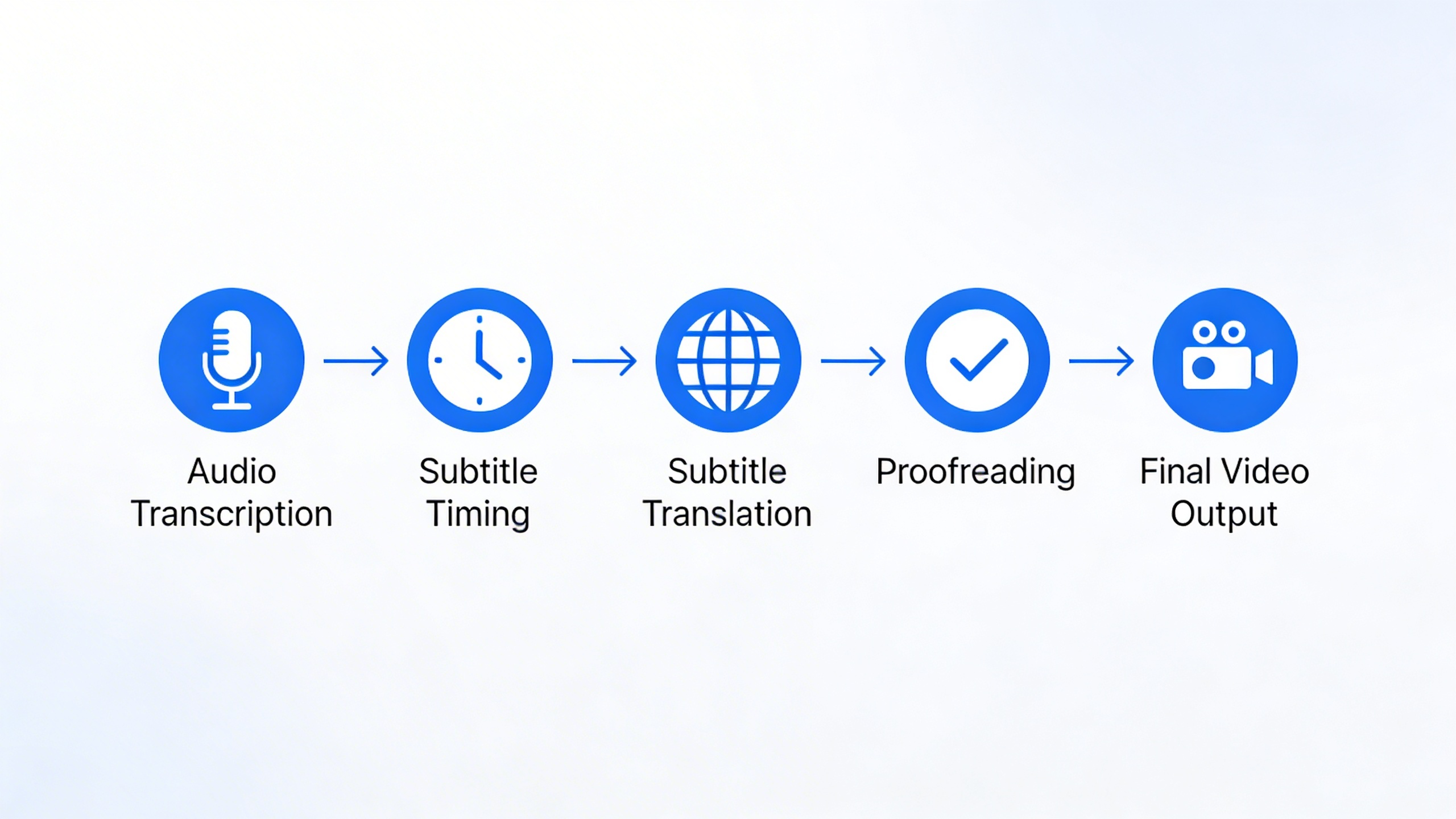
Implementing a systematic quality control process ensures your video subtitle creation meets professional standards. This workflow should include initial automated generation, manual review for accuracy, timing adjustments, and final formatting verification before publication.
| Accuracy Factor | Impact Level | Recommended Action |
|---|---|---|
| Clear audio recording | High positive | Invest in quality microphones |
| Background noise | High negative | Use noise reduction tools |
| Multiple speakers | Medium negative | Review speaker identification |
| Technical terminology | Medium negative | Create custom vocabulary lists |
Successful automated subtitle creation requires balancing efficiency with quality standards. While AI tools can handle the initial heavy lifting, human oversight ensures your subtitles maintain accuracy, readability, and professional presentation that enhances rather than detracts from your video content.
Consider establishing editing guidelines that address common transcription errors, formatting consistency, and timing precision. This systematic approach transforms automated output into polished subtitles that effectively serve your audience while maintaining your content’s professional credibility.
Manual Subtitle Creation Techniques
While automated tools offer convenience, manual subtitle creation provides unmatched precision and creative control. Professional content creators often prefer this approach when working with complex audio, multiple speakers, or when brand consistency demands exact formatting. The manual process allows you to craft subtitles that perfectly complement your video’s tone and messaging while ensuring accuracy that automated systems sometimes miss.
Professional Subtitle Software
Industry-standard subtitle software offers sophisticated features that streamline the manual creation process. Professional tools like Aegisub, Subtitle Workshop, and DaVinci Resolve provide frame-accurate timing controls, real-time preview capabilities, and advanced formatting options that make it easier to add subtitles to video content with precision.
These platforms typically include waveform visualization, which displays audio patterns alongside your timeline. This visual representation helps you identify speech patterns, pauses, and natural break points where subtitle transitions should occur. Most professional software also supports multiple subtitle formats, allowing you to export files compatible with various video platforms and players.
Key features to look for in subtitle creator for videos include multi-track support for different languages, spell-checking capabilities, and batch processing options. Advanced tools offer style templates that maintain consistency across multiple projects, saving significant time when working on series or branded content.
Timing and Synchronization
Precise timing forms the foundation of effective video subtitle creation. The general rule suggests displaying subtitles approximately 250 milliseconds before the corresponding audio begins, giving viewers time to process the text before hearing the words. This slight anticipation creates a natural reading rhythm that enhances comprehension.
Professional subtitlers follow the two-second minimum display rule, ensuring each subtitle remains visible long enough for comfortable reading. However, timing adjustments depend on text length and complexity. Simple phrases might need only 1.5 seconds, while technical terms or longer sentences require up to 4 seconds of display time.
Synchronization becomes particularly challenging with rapid dialogue or overlapping speakers. In these situations, prioritize clarity over strict timing adherence. Sometimes condensing or paraphrasing dialogue serves viewers better than attempting to capture every word with lightning-fast subtitle changes that become impossible to read.
When working with music or sound effects, consider how subtitles interact with these audio elements. Emotional scenes might benefit from longer subtitle durations that allow viewers to absorb both text and visual content, while action sequences often require shorter, punchier text that doesn’t distract from fast-paced visuals.
Style and Formatting Guidelines
Consistent formatting elevates professional subtitles from mere transcription to polished communication tools. Industry standards recommend using sans-serif fonts like Arial or Helvetica, which maintain readability across different screen sizes and resolutions. Font size should scale appropriately, typically representing 5-7% of screen height to ensure visibility without overwhelming the visual content.
Positioning guidelines suggest placing subtitles in the lower third of the screen, centered horizontally unless specific elements require different placement. When lower positioning conflicts with important visual information, subtitles can move to the upper portion of the screen while maintaining center alignment for optimal readability.
| Element | Recommended Setting | Purpose |
|---|---|---|
| Font Family | Arial, Helvetica, or similar sans-serif | Maximum readability across devices |
| Font Size | 5-7% of screen height | Visible without being intrusive |
| Line Length | 32-42 characters maximum | Comfortable reading speed |
| Background | Semi-transparent black or outline | Text visibility over varied backgrounds |
Color choices significantly impact subtitle effectiveness. White text with black outlines or semi-transparent backgrounds ensures readability regardless of video content. Some creators prefer subtle drop shadows instead of outlines, which can appear less intrusive while maintaining text clarity.
Line breaks require strategic consideration when you create subtitles for video content. Natural language breaks work better than arbitrary character limits. Avoid splitting related words or phrases across lines, and when possible, break lines at punctuation marks or natural speech pauses. This approach creates subtitles for videos that feel intuitive and support natural reading patterns rather than fighting against them.
Step-by-Step Subtitle Implementation Process
Creating professional subtitles requires a systematic approach that balances efficiency with quality. Whether you’re working with automated tools or crafting subtitles manually, following a structured process ensures consistent results across all your video content.
Pre-Production Planning
Effective subtitle creation begins before you even start the transcription process. Start by analyzing your source material and determining the optimal subtitle format for your target platforms. Review your video’s audio quality, speaking pace, and any background music or sound effects that might affect subtitle timing.
Prepare your script or outline in advance when possible. Having a reference document helps maintain accuracy and speeds up the subtitle creation workflow significantly. Consider your audience’s reading speed—most viewers can comfortably read 160-180 words per minute, which translates to roughly 2-3 seconds per subtitle line.
Define your subtitle style guidelines early in the process. Establish consistent rules for capitalization, punctuation, speaker identification, and line breaks. These standards become especially important when multiple team members work on subtitle projects or when you need to create subtitles for video series with consistent branding.
Creation and Editing Workflow
Begin the actual subtitle creation by choosing between automated and manual approaches based on your content type and quality requirements. For straightforward dialogue with clear audio, AI-powered transcription tools can provide an excellent starting point that requires minimal editing.
When you add subtitles to video content, focus on timing accuracy first, then refine the text. Most subtitle creator for videos tools allow you to adjust timing in milliseconds, ensuring perfect synchronization between spoken words and displayed text. Pay special attention to natural speech patterns, including pauses and emphasis that affect subtitle pacing.
Break longer sentences into digestible chunks that respect grammatical boundaries. Avoid splitting phrases awkwardly across multiple subtitle frames. For example, “I went to the store yesterday” should remain on one line rather than being split as “I went to the” and “store yesterday.”
Consider implementing a two-pass editing approach: complete the initial transcription and timing, then perform a separate review focused solely on readability and accuracy. This method helps catch errors that might be missed when juggling multiple tasks simultaneously.
For content creators working with interview footage or presentations, Sozai offers reliable transcription capabilities that can significantly streamline your video subtitle creation process, particularly when dealing with multiple speakers or technical terminology.
Quality Assurance and Testing
Quality assurance represents the most critical phase of subtitle implementation. Begin by watching your entire video with subtitles enabled, checking for synchronization issues, typos, and readability problems. Pay attention to subtitle duration—each line should remain visible long enough for comfortable reading without feeling rushed.
Test your subtitles across different devices and screen sizes. What looks perfect on a desktop monitor might be too small or poorly positioned on mobile devices. Ensure your subtitle formatting maintains readability across various viewing conditions, including different lighting environments and screen resolutions.
Verify cross-platform compatibility by testing your subtitle files on your target platforms. YouTube, Vimeo, and social media platforms each have specific requirements for subtitle formatting and file types. Create platform-specific versions when necessary to ensure optimal display quality.
Conduct accessibility testing to ensure your subtitles serve viewers with hearing impairments effectively. This includes adding speaker identification, sound effect descriptions, and music cues when relevant to the content understanding.
Finally, gather feedback from team members or test viewers before publishing. Fresh eyes often catch errors or clarity issues that creators miss after working closely with the content. When you create subtitles for video projects regularly, developing a standardized checklist helps maintain consistent quality across all your productions while streamlining the review process.
Platform-Specific Subtitle Requirements
Different platforms have unique specifications and requirements when you add subtitles to video content. Understanding these platform-specific guidelines ensures your subtitles display correctly and reach the maximum audience across all channels where you distribute your content.
Social Media Platforms
Social media platforms each have distinct requirements for subtitle implementation. Instagram supports SRT files for IGTV and Reels, with a maximum of two lines per subtitle and 47 characters per line. The platform automatically centers subtitles and recommends using high contrast colors for better visibility against varying background content.
TikTok’s auto-caption feature generates subtitles automatically, but creators can also upload custom SRT files for more control over timing and accuracy. When you create subtitles for video content on TikTok, keep text concise since the mobile-first format limits subtitle real estate. The platform supports multiple languages and allows subtitle customization through its built-in editing tools.
Facebook provides comprehensive subtitle support across all video formats, accepting SRT and VTT files. The platform’s subtitle creator for videos includes automatic generation capabilities, though manual review remains essential for accuracy. Facebook recommends subtitles appear for 1-7 seconds per segment, with a maximum of 32 characters per line across two lines maximum.
Video Hosting Services
YouTube offers the most robust subtitle ecosystem among video hosting platforms. The platform accepts multiple formats including SRT, VTT, and TTML files. YouTube’s automatic captioning provides a starting point, but creators should always review and edit these generated subtitles for accuracy. The platform supports timing adjustments, style customization, and multi-language subtitle tracks.
When implementing subtitles for videos on YouTube, consider that the platform indexes subtitle content for search purposes, making accurate transcription crucial for discoverability. YouTube also supports closed captions that viewers can toggle on or off, plus burned-in subtitles that remain permanently visible.
Vimeo provides professional-grade subtitle tools with support for WebVTT files and comprehensive styling options. The platform allows detailed customization of font families, colors, and positioning. Vimeo’s subtitle editor includes features for precise timing adjustments and supports multiple subtitle tracks for different languages or purposes.
Streaming and Broadcasting
Professional broadcasting requires adherence to strict accessibility standards and technical specifications. Broadcast subtitles must comply with FCC regulations in the United States, which mandate specific formatting, timing, and accuracy requirements. These standards ensure subtitles serve viewers with hearing impairments effectively.
Streaming platforms like Netflix and Amazon Prime have rigorous quality control processes for subtitle submission. These platforms require frame-accurate timing, with subtitles appearing and disappearing in sync with dialogue. Professional video subtitle creation for these platforms often involves specialized software and quality assurance workflows.
Live streaming presents unique challenges for subtitle implementation. Real-time captioning requires either live human transcribers or advanced AI systems capable of processing speech with minimal delay. Platforms like Twitch and YouTube Live support live captions, though accuracy varies depending on audio quality and speech clarity.
Technical broadcasting standards specify subtitle positioning, typically placing text in the lower third of the screen while avoiding critical visual elements. Professional subtitle workflows include backup systems and redundancy measures to ensure continuous caption availability during live broadcasts.
Understanding these platform-specific requirements helps content creators optimize their subtitle strategy for each distribution channel, ensuring accessibility compliance while maximizing audience engagement across diverse viewing environments.
Advanced Subtitle Optimization Strategies
Once you’ve mastered the basics of how to add subtitles to video content, implementing advanced optimization strategies can significantly enhance viewer engagement and accessibility. These sophisticated approaches go beyond simple text overlay to create truly inclusive and data-driven subtitle experiences.
Multi-Language Subtitle Management
Effective translation workflow management requires careful planning and systematic execution. Start by identifying your target languages based on audience analytics and market research. Professional subtitle creators for videos recommend establishing a standardized translation process that maintains consistency across all language versions.
Create a master subtitle file in your primary language before initiating translations. This ensures timing accuracy remains consistent across all language variants. When working with multiple translators, provide detailed style guides that specify character limits, cultural adaptation requirements, and technical formatting standards. Consider using subtitle management platforms that support collaborative editing and version control to streamline the translation process.
Quality assurance becomes critical when managing multiple language tracks. Implement a review system where native speakers verify both linguistic accuracy and cultural appropriateness. Pay special attention to reading speeds in different languages, as some languages require more characters to convey the same meaning, potentially affecting subtitle timing.
Accessibility Enhancement Features
Creating subtitles for video content that truly serves viewers with visual and hearing impairments requires attention to specialized features beyond standard text display. Implement speaker identification tags to help viewers distinguish between different speakers, particularly important for viewers who rely entirely on subtitle information.
Include sound effect descriptions and musical cues in square brackets to provide context that hearing-impaired viewers would otherwise miss. For example, “[upbeat music playing]” or “[door slams]” adds crucial environmental information. Consider implementing customizable subtitle appearance options, allowing viewers to adjust font size, background opacity, and color contrast to accommodate various visual impairments.
Position subtitles strategically to avoid obscuring important visual elements while maintaining readability. Advanced subtitle creator for videos tools often include features for automatic positioning based on scene analysis, ensuring subtitles never cover faces or critical on-screen text.
Performance and Analytics Tracking
Modern video subtitle creation strategies must incorporate comprehensive analytics to measure effectiveness and guide optimization efforts. Track key metrics including subtitle engagement rates, completion percentages with subtitles enabled versus disabled, and language-specific viewing patterns.
Monitor subtitle accuracy through user feedback mechanisms and automated quality scoring systems. Many platforms provide detailed analytics showing when viewers enable or disable subtitles, revealing insights about content accessibility and viewer preferences. Use this data to refine subtitle timing, improve readability, and identify content segments that may need clearer explanations.
Implement A/B testing for different subtitle styles, positioning, and timing approaches. Test variables such as subtitle duration, font choices, and background transparency to optimize for maximum engagement. Track how subtitle availability affects video sharing rates and overall reach, as accessible content typically performs better across social media platforms.
Regular performance reviews should examine subtitle-specific metrics alongside broader video analytics. Look for correlations between subtitle quality and viewer retention, particularly in segments where complex information is presented. This data-driven approach ensures your subtitle optimization efforts directly contribute to improved viewer experience and content performance.

