
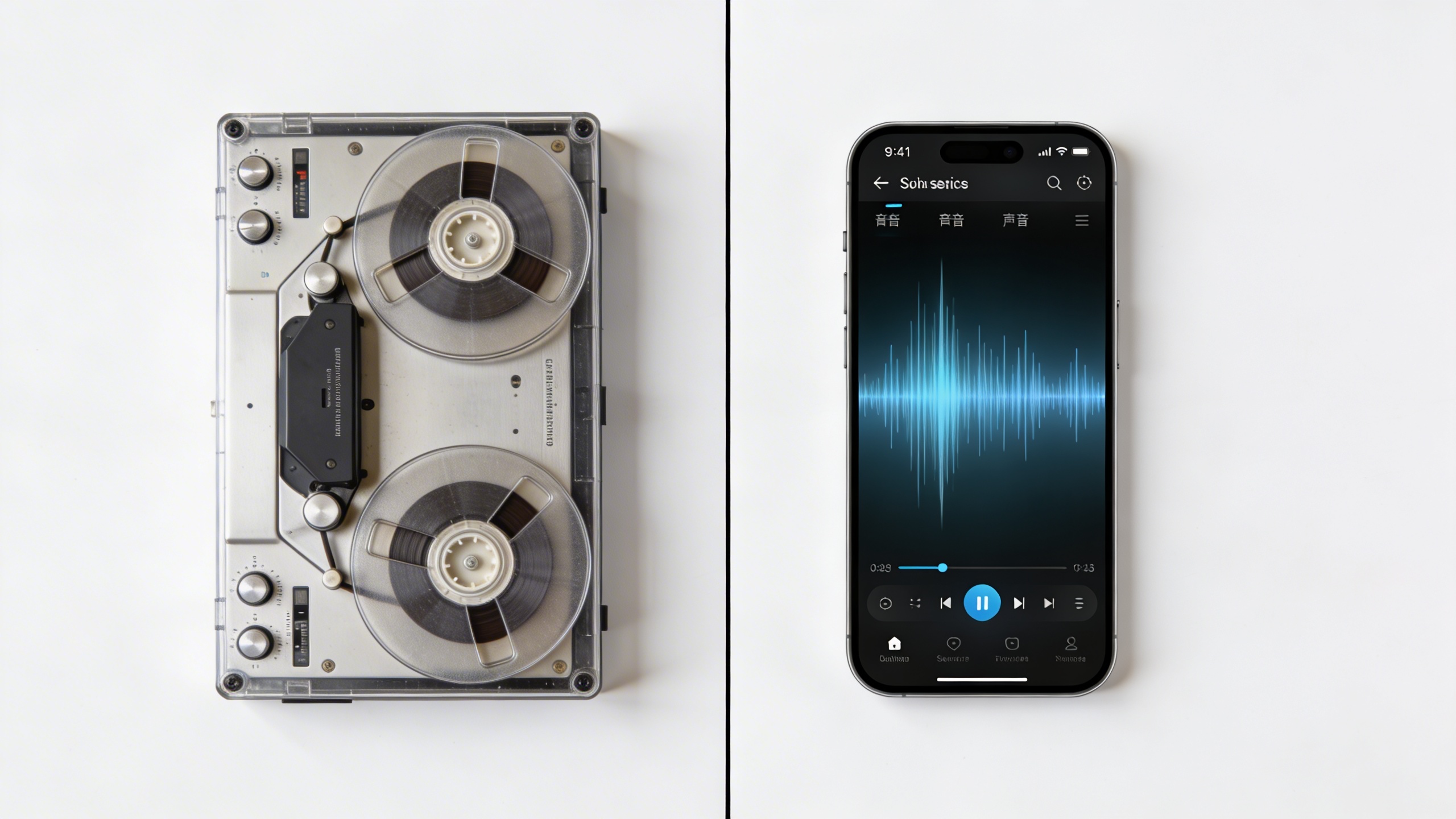
The transformation from bulky tape recorders to sophisticated AI-powered dictation software has revolutionized how professionals capture and convert speech into written text. What once required hours of manual transcription can now be accomplished in real-time with remarkable accuracy, making voice to text technology an indispensable tool for doctors, lawyers, journalists, and countless other professionals who need to document information quickly and efficiently.
Modern digital dictation solutions leverage advanced machine learning algorithms to understand context, recognize industry-specific terminology, and adapt to individual speaking patterns. These intelligent systems not only save time but also reduce the physical strain associated with extensive typing, allowing users to maintain productivity while speaking naturally. From cloud-based platforms that sync across devices to specialized dictation programs designed for specific workflows, today’s voice recognition technology offers unprecedented flexibility and precision.
This comprehensive guide explores the landscape of digital dictation tools, examining everything from essential features and industry-specific solutions to implementation strategies and cost considerations. Whether you’re seeking to streamline documentation processes or simply looking for a more efficient way to capture ideas, understanding the available options will help you select the perfect dictation solution for your unique needs.
Understanding Modern Digital Dictation Technology
Digital dictation has transformed from basic voice recording devices into sophisticated AI-powered systems that can understand context, adapt to individual speech patterns, and integrate seamlessly with modern business workflows. Today’s dictation software represents decades of advancement in artificial intelligence, machine learning, and cloud computing technologies that have revolutionized how we convert speech into text.
How Voice Recognition Has Evolved
Early voice recognition systems required extensive training periods and worked with limited vocabularies, often producing frustrating results. Modern voice to text technology has overcome these limitations through neural networks that continuously learn and improve accuracy. Contemporary systems can recognize natural speech patterns, handle multiple accents and dialects, and adapt to individual speaking styles without lengthy setup processes.
The shift from rule-based systems to machine learning models has enabled dictation software to understand context and nuance. Where older systems might transcribe “there,” “their,” and “they’re” incorrectly, today’s AI-powered solutions analyze surrounding words and sentence structure to select the appropriate spelling. This contextual understanding extends to technical terminology, proper nouns, and industry-specific jargon that users frequently employ.
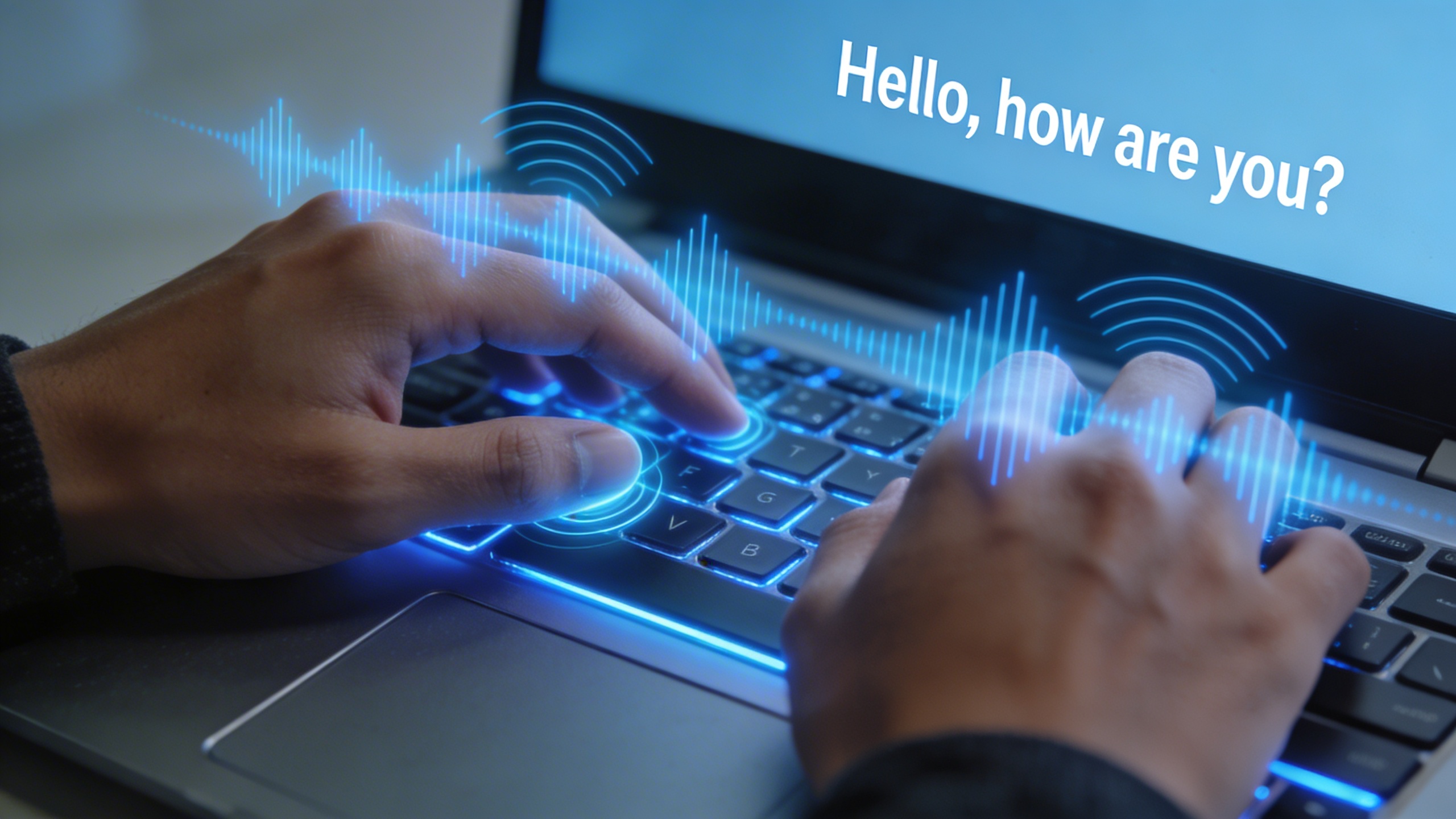
Real-time processing capabilities have eliminated the delays that once plagued digital dictation. Users can now speak naturally and see their words appear instantly on screen, creating a fluid writing experience that rivals traditional typing for many professionals. This immediacy has made voice recognition practical for live note-taking, meeting transcription, and collaborative work environments.
Key Technologies Behind Dictation Software
Modern dictation programs leverage several breakthrough technologies that work together to deliver accurate transcription. Deep neural networks form the foundation, processing audio signals through multiple layers that identify phonemes, words, and sentence structures. These networks train on massive datasets containing millions of hours of human speech, enabling them to recognize patterns across diverse speakers and environments.
Cloud-based processing has revolutionized the computational power available to dictation software. Rather than relying solely on local device capabilities, many solutions now process audio through powerful remote servers equipped with specialized hardware for speech recognition. This approach delivers superior accuracy while reducing battery drain on mobile devices and enabling consistent performance across different platforms.
Natural language processing algorithms work alongside speech recognition to improve transcription quality. These systems understand grammar rules, common phrases, and contextual relationships between words. When combined with user-specific learning algorithms, they create personalized models that become more accurate over time as they adapt to individual vocabulary and speaking patterns.
Benefits of Digital vs Traditional Dictation
Traditional dictation methods required manual transcription, creating bottlenecks and introducing potential errors during the conversion process. Digital dictation eliminates these intermediary steps by producing immediate, editable text that integrates directly with word processors, email clients, and document management systems.
Workflow integration represents perhaps the greatest advantage of modern voice recognition technology. Users can dictate directly into any application, from customer relationship management systems to medical records platforms. This seamless integration reduces the time between idea generation and documentation, improving productivity across various professional contexts.
Cost efficiency has improved dramatically with digital solutions. Organizations no longer need dedicated transcription staff or expensive recording equipment. A single dictation program can serve multiple users across different departments, with cloud-based solutions offering scalable pricing models that adjust to actual usage rather than requiring large upfront investments.
Accessibility features built into modern digital dictation serve users with mobility limitations, learning differences, or repetitive strain injuries. Voice-controlled editing commands, punctuation insertion, and formatting options enable hands-free document creation that wasn’t possible with traditional methods.
For professionals seeking reliable voice to text capabilities, solutions like Sozai demonstrate how modern AI technology can deliver accurate transcription across multiple platforms while maintaining the simplicity that busy professionals require for their daily workflows.
Types of Dictation Solutions Available
The digital dictation landscape offers diverse solutions tailored to different workflows, technical requirements, and professional environments. Understanding the various types of dictation software available helps you select the most appropriate voice to text solution for your specific needs, whether you’re a solo professional or managing enterprise-level documentation requirements.
Desktop Dictation Applications
Desktop dictation programs represent the most robust category of voice recognition software, offering comprehensive features and processing power for demanding transcription tasks. These applications typically provide advanced customization options, extensive vocabulary management, and sophisticated editing capabilities that make them ideal for professional environments.
Popular desktop solutions include Dragon Professional, which excels in accuracy and customization for legal and medical professionals, and Windows Speech Recognition, which comes integrated with Microsoft operating systems. These programs often support multiple file formats, offer macro functionality, and provide seamless integration with word processors and specialized software applications.
The primary advantage of desktop dictation software lies in its processing capabilities and offline functionality. Users can work without internet connectivity while maintaining high accuracy levels, making these solutions particularly valuable for confidential work environments or locations with limited connectivity.
Mobile and Smartphone Solutions
Mobile dictation solutions have revolutionized accessibility to voice to text technology, enabling users to capture thoughts and create content from virtually anywhere. Modern smartphones include built-in voice recognition capabilities, while dedicated apps provide enhanced functionality for specific use cases.
Native mobile solutions like Apple’s Dictation and Google Voice Typing offer seamless integration with device keyboards and messaging applications. For users requiring more sophisticated features, specialized apps like Sozai provide advanced transcription capabilities with cross-platform synchronization, making it easy to capture voice notes on mobile devices and access them across multiple platforms.
Mobile digital dictation solutions excel in spontaneous note-taking scenarios, such as capturing meeting insights during commutes, recording interview responses in the field, or documenting ideas while away from traditional workstations. Many mobile applications also support cloud synchronization, ensuring that voice recordings and transcriptions remain accessible across all devices.
Professional Dictation Systems
Enterprise and professional dictation systems are designed for high-volume environments where accuracy, security, and workflow integration are paramount. These comprehensive solutions often combine specialized hardware with advanced software to create complete documentation ecosystems.
Professional systems typically feature dedicated recording devices, centralized transcription management, and integration with industry-specific software platforms. Legal firms might utilize systems that integrate directly with case management software, while healthcare organizations often deploy solutions that seamlessly connect with electronic health record systems.
These professional-grade dictation programs frequently include advanced features such as speaker identification, automated formatting for specific document types, and sophisticated quality control mechanisms. Many systems also provide detailed analytics and reporting capabilities, allowing organizations to monitor productivity and optimize their documentation workflows.
Industry-specific applications represent another crucial category, with specialized voice recognition software designed for medical terminology, legal documentation, or technical fields. These solutions incorporate domain-specific vocabularies and formatting rules, significantly improving accuracy for specialized content while reducing the time required for post-transcription editing.
The choice between different types of dictation solutions ultimately depends on factors such as required accuracy levels, integration needs, security requirements, and budget considerations. Many professionals find that combining multiple solution types creates the most flexible and comprehensive approach to digital dictation.
Essential Features to Look for in Dictation Software
Selecting the right dictation software requires careful evaluation of several critical features that directly impact your productivity and user experience. The best voice to text solutions combine advanced technology with practical functionality to deliver reliable performance across different use cases and environments.
Accuracy and Language Support
Recognition accuracy stands as the most crucial factor when evaluating any dictation program. Modern voice recognition systems typically achieve accuracy rates between 85-99%, with premium solutions reaching the higher end of this spectrum. However, accuracy depends heavily on factors like audio quality, speaking clarity, background noise, and the software’s training on your specific voice patterns.
Look for dictation software that offers adaptive learning capabilities, allowing the system to improve over time as it becomes familiar with your speech patterns, vocabulary, and pronunciation. This feature proves especially valuable for users with accents or those who frequently use industry-specific terminology.
Multi-language support has become increasingly important in our globalized work environment. The best digital dictation tools support dozens of languages and dialects, with some offering real-time language switching within the same document. Consider whether you need support for multiple languages simultaneously or the ability to switch between languages seamlessly during dictation sessions.
Integration and Workflow Capabilities
Effective dictation software should integrate smoothly into your existing workflow rather than creating additional friction. File format compatibility plays a vital role here – look for solutions that support common formats like DOCX, TXT, PDF, and various audio formats for maximum flexibility.
Integration capabilities with popular productivity applications can significantly enhance your workflow efficiency. The most valuable integrations include email clients, word processors, customer relationship management systems, and cloud storage platforms. Some advanced voice to text solutions offer API access, enabling custom integrations with specialized business applications.
Consider the software’s ability to handle different input methods, including microphone dictation, audio file transcription, and mobile device recording. Cross-platform synchronization ensures your dictated content remains accessible across all your devices, whether you’re working from a desktop computer, tablet, or smartphone.
Security and Privacy Features
Security considerations become paramount when dealing with sensitive or confidential information through voice recognition technology. Enterprise-grade dictation software should offer end-to-end encryption for both data transmission and storage, ensuring your spoken content remains protected throughout the entire process.
Look for solutions that provide local processing options, allowing voice recognition to occur on your device rather than transmitting audio data to external servers. This approach offers enhanced privacy protection and reduces concerns about data breaches or unauthorized access to sensitive information.
Compliance features matter significantly for organizations in regulated industries. The best digital dictation solutions offer HIPAA compliance for healthcare environments, GDPR compliance for European operations, and other industry-specific security certifications. Additionally, features like user authentication, audit trails, and administrative controls help maintain security standards across larger organizations.
Data retention policies and deletion capabilities should align with your organization’s requirements, providing clear control over how long voice data and transcriptions are stored within the system.
Professional Dictation Solutions for Different Industries
Professional environments demand dictation software that goes beyond basic voice to text conversion. Each industry has unique requirements for terminology accuracy, compliance standards, and workflow integration that generic solutions simply cannot address effectively.
Legal and Medical Dictation Requirements
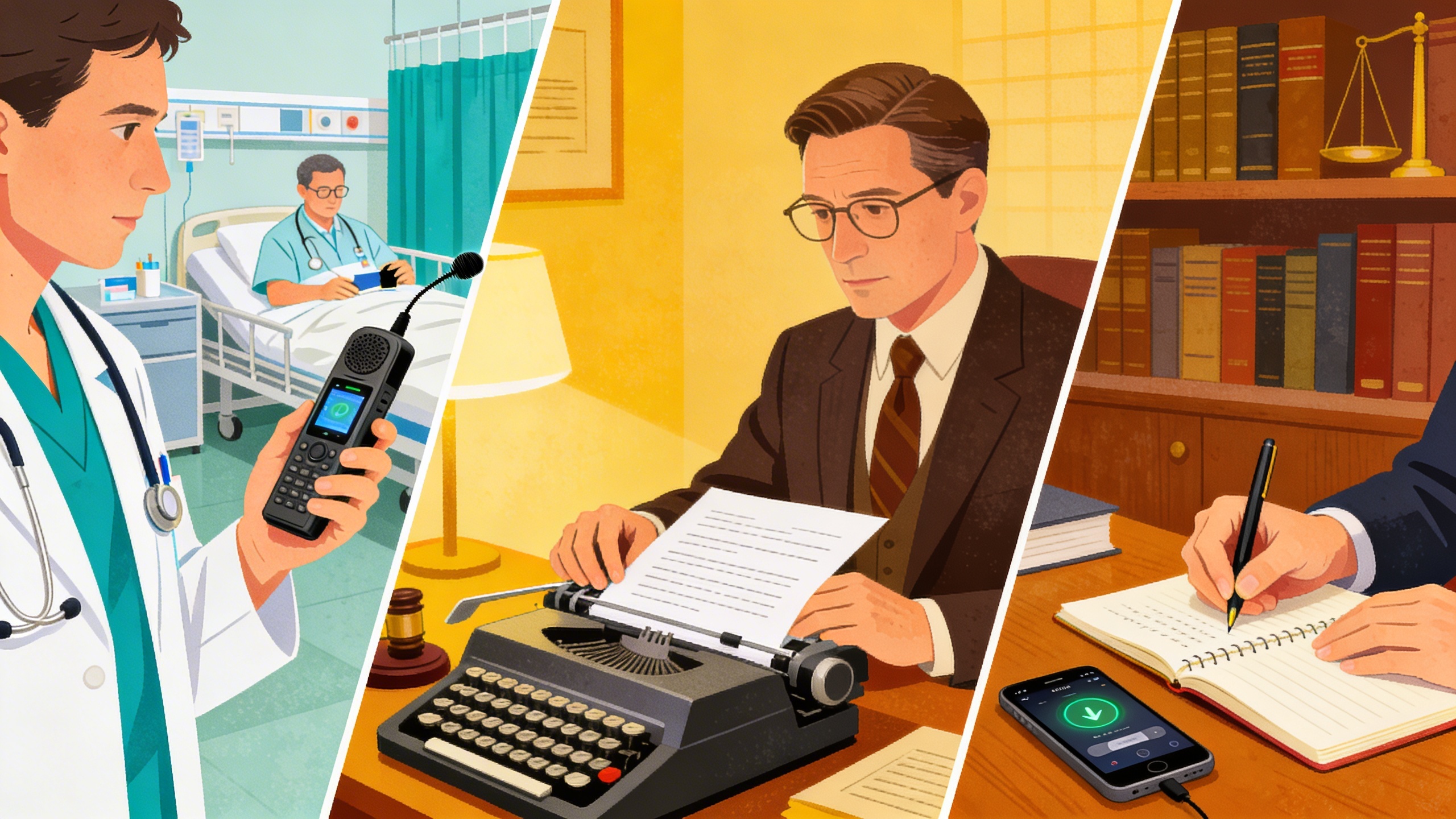
Legal professionals require dictation software with extensive legal terminology databases and the ability to handle complex case citations, statute references, and procedural language. Medical practitioners need voice recognition systems trained on pharmaceutical names, anatomical terms, and diagnostic terminology that can accurately transcribe even the most technical medical jargon.
Both industries face strict compliance requirements that dictate how voice data is handled, stored, and transmitted. HIPAA compliance for healthcare and attorney-client privilege protections for legal work necessitate dictation programs with end-to-end encryption, local processing capabilities, and audit trails for all transcribed content.
Specialized formatting becomes crucial in these fields. Legal documents require specific citation formats, numbered paragraphs, and precise indentation structures. Medical records need standardized templates for patient charts, prescription formats, and diagnostic report layouts. The most effective digital dictation solutions for these industries offer customizable templates and automated formatting that adapts to professional standards.
Business and Administrative Applications
Corporate environments benefit from dictation software that integrates seamlessly with existing business systems. Email composition, report generation, and meeting documentation represent the most common use cases where voice to text technology can significantly improve productivity.
Administrative professionals often need dictation programs that can handle multiple speakers during conference calls or meetings. The software must distinguish between different voices while maintaining accuracy across various accents and speaking styles. Integration with calendar systems, project management tools, and customer relationship management platforms ensures that transcribed content flows directly into existing workflows without manual intervention.
Business applications also require robust collaboration features. Multiple team members may need access to transcribed documents, with version control and editing permissions that maintain document integrity while enabling collaborative review processes.
Creative and Content Creation Uses
Writers, journalists, and content creators have discovered that digital dictation can dramatically accelerate their creative processes. Speaking thoughts aloud often produces more natural, conversational content than traditional typing methods, making voice recognition technology particularly valuable for blog posts, articles, and narrative writing.
Creative professionals benefit from dictation software that captures the nuances of natural speech patterns while providing intelligent punctuation and paragraph breaks. The ability to dictate while walking, driving, or in other mobile situations enables content creators to capture ideas whenever inspiration strikes.
Podcast creators and video producers use specialized dictation programs to generate accurate transcripts of their content, improving accessibility while creating searchable text versions of audio and video materials. These applications require high accuracy rates and speaker identification capabilities to produce professional-quality transcripts.
For content creators who work across multiple platforms, Sozai offers cross-device synchronization that allows seamless transitions between mobile dictation during commutes and desktop editing in the office. This flexibility supports the dynamic workflows that characterize modern creative work.
The most effective dictation solutions for creative applications include features like voice commands for formatting, the ability to insert timestamps and markers, and integration with popular writing and publishing platforms. These capabilities transform voice to text from a simple transcription tool into a comprehensive content creation system.
Industry-specific dictation software ultimately succeeds by understanding that accuracy alone is insufficient. Professional users need solutions that integrate with their existing tools, meet their compliance requirements, and adapt to their unique terminology and formatting needs. The investment in specialized digital dictation technology pays dividends through improved productivity, reduced transcription costs, and enhanced document quality across all professional applications.
Mobile Dictation and Voice Recording Apps
Mobile devices have transformed digital dictation from a desktop-bound activity into a portable productivity tool. Modern smartphones and tablets offer sophisticated voice recognition capabilities that rival dedicated dictation software, making it possible to capture thoughts, compose emails, and create documents anywhere. The key lies in understanding which mobile solutions best serve your specific workflow needs.
Native Smartphone Solutions
Both iOS and Android devices include powerful built-in voice assistants that handle basic dictation tasks effectively. Apple’s Siri and Google Assistant provide seamless voice to text conversion directly within messaging apps, email clients, and note-taking applications. These native solutions excel in convenience since they require no additional downloads or setup processes.
The accuracy of these built-in systems has improved dramatically through machine learning algorithms that adapt to individual speech patterns. iOS users can activate dictation by tapping the microphone icon on any keyboard, while Android users can access Google’s voice input through similar interface elements. These native options work particularly well for short-form content like text messages, quick emails, and brief voice memos.
However, native solutions typically lack advanced formatting options and professional-grade transcription features that specialized dictation software provides. They serve best as convenient tools for casual use rather than comprehensive business applications.
Third-Party Dictation Applications
Specialized mobile dictation programs offer enhanced functionality beyond what native solutions provide. These applications typically feature superior accuracy rates, custom vocabulary support, and advanced editing tools that make them suitable for professional use.
Many third-party apps focus on specific use cases such as medical transcription, legal documentation, or academic research. They often include industry-specific terminology databases that improve recognition accuracy for technical language. Some applications also offer real-time collaboration features, allowing multiple users to contribute to shared documents through voice input.
For users seeking a comprehensive solution that works across multiple platforms, Sozai provides AI-powered transcription capabilities that deliver high accuracy rates while maintaining user privacy. The application handles various audio formats and offers intelligent punctuation that reduces post-transcription editing time.
Audio quality considerations become crucial when selecting mobile dictation software. Applications that include noise reduction algorithms and adaptive microphone sensitivity perform better in challenging environments like busy offices or outdoor locations.
Cloud Synchronization Features
Modern mobile dictation solutions emphasize seamless synchronization across devices through cloud integration. This functionality ensures that voice recordings and transcribed text remain accessible whether you’re working on a smartphone, tablet, or desktop computer.
Effective cloud synchronization includes automatic backup of audio files, real-time document updates, and cross-platform compatibility. Users can begin dictating on their mobile device during commutes and continue editing the transcribed content on their desktop computers without manual file transfers.
Security considerations become paramount when utilizing cloud-based digital dictation services. Look for applications that offer end-to-end encryption and comply with relevant privacy regulations, especially when handling sensitive business or personal information.
The most sophisticated mobile voice recognition platforms also provide offline capabilities alongside cloud features. This hybrid approach ensures continued productivity even when internet connectivity becomes unreliable, with automatic synchronization occurring once connection resumes.
Comparing Costs and Value Propositions
Understanding the financial implications of dictation software extends far beyond the initial purchase price. Organizations and individuals must evaluate multiple cost factors to determine which voice to text solution delivers the best return on investment for their specific needs.
Free vs Premium Solutions
Free dictation programs typically offer basic voice recognition capabilities with significant limitations. Most free solutions restrict recording time to 15-30 minutes per session, provide limited file format support, and lack advanced features like custom vocabulary training or integration capabilities. These constraints make free options suitable for occasional personal use but inadequate for professional workflows.
Premium digital dictation solutions remove these barriers while adding enterprise-grade features. Professional versions typically include unlimited recording time, multiple export formats, cloud synchronization, and specialized vocabularies for medical, legal, or technical fields. The accuracy improvements in premium voice to text systems often justify the investment through increased productivity and reduced editing time.
Enterprise Pricing Models
Enterprise dictation software typically follows one of three pricing structures: per-user subscriptions, site licenses, or usage-based models. Subscription pricing ranges from $15-50 per user monthly, depending on feature sets and support levels. Site licenses offer unlimited users within an organization for annual fees between $5,000-25,000, making them cost-effective for larger deployments.
Usage-based models charge per minute of transcription or per document processed, appealing to organizations with variable dictation needs. Some vendors offer hybrid models combining base subscriptions with overage charges, providing predictable costs while accommodating peak usage periods.
Total Cost of Ownership Considerations
Beyond software licensing, organizations must budget for implementation and ongoing operational costs. Initial setup expenses include hardware procurement, network configuration, and data migration from existing systems. Professional services for custom vocabulary development and workflow integration can add $10,000-50,000 to project costs.
Training represents another significant expense, with comprehensive user education requiring 2-4 hours per person. IT support costs vary based on system complexity and user technical proficiency. Cloud-based solutions typically reduce infrastructure overhead but introduce ongoing bandwidth and storage considerations.
ROI calculations should factor in productivity gains from reduced typing time, improved document turnaround, and decreased transcription errors. Healthcare organizations often see 30-40% efficiency improvements in documentation workflows, while legal firms report 25-35% faster brief preparation. For professionals seeking reliable voice recognition capabilities without enterprise complexity, solutions like Sozai offer streamlined functionality with transparent pricing models.
Smart procurement strategies involve pilot testing with small user groups, negotiating volume discounts, and securing price protection for multi-year commitments. This approach minimizes risk while ensuring the selected dictation program aligns with organizational requirements and budget constraints.
Implementation Best Practices and Tips
Successfully implementing dictation software requires strategic planning and systematic optimization to achieve professional-grade results. The difference between frustrating voice recognition experiences and seamless digital dictation lies in proper setup, training, and ongoing refinement of your workflow.
Setting Up Your Dictation Workflow
Creating an effective dictation environment begins with acoustic considerations. Position yourself in a quiet space with minimal background noise, ideally 6-12 inches from your microphone. Hard surfaces like glass and metal can cause audio reflections that confuse voice to text algorithms, so consider adding soft furnishings or acoustic panels to reduce echo.
Establish consistent speaking patterns before launching your dictation program. Speak at a moderate pace with clear articulation, avoiding the common mistake of speaking too quickly or mumbling. Most voice recognition systems perform optimally when you maintain steady volume levels and natural speech rhythms rather than robotic pronunciation.
Document templates and custom vocabularies significantly improve accuracy for specialized content. Create standardized formats for common document types like reports, emails, or meeting notes. This preparation allows your digital dictation system to better predict context and reduce transcription errors.
Training and Optimization Strategies
Voice training represents the most critical factor in dictation software performance. Begin with built-in training modules that help the system learn your unique speech patterns, accent, and pronunciation quirks. Dedicate 15-30 minutes to initial voice training, then perform additional sessions when accuracy drops below acceptable levels.
Vocabulary customization dramatically improves results for industry-specific terminology. Add technical terms, proper names, acronyms, and frequently used phrases to your personal dictionary. Legal professionals should include case citations and Latin terms, while medical practitioners need drug names and anatomical terminology.
Regular practice sessions help maintain peak performance. Schedule weekly 10-minute dictation exercises using diverse content types to keep the voice recognition engine calibrated to your speaking style. Sozai offers adaptive learning capabilities that continuously improve accuracy through regular use across different content types.
Troubleshooting Common Issues
Recognition accuracy problems typically stem from environmental factors or inconsistent speaking habits. When your dictation program produces frequent errors, first check microphone placement and ambient noise levels. USB headsets often provide more consistent results than built-in computer microphones for professional applications.
Punctuation and formatting challenges require specific voice commands rather than spoken punctuation marks. Learn essential commands like “new paragraph,” “comma,” and “period” to maintain document structure without manual editing. Practice these commands until they become automatic responses.
Performance monitoring helps identify patterns in recognition errors. Track accuracy rates across different document types, times of day, and speaking conditions. Many users discover their voice to text performance varies significantly based on factors like fatigue, stress, or environmental changes.
System resource conflicts can cause delayed responses or crashes in resource-intensive dictation software. Close unnecessary applications during dictation sessions and ensure adequate RAM availability. Regular software updates often include performance improvements and bug fixes that resolve persistent issues.
Backup strategies protect against data loss during long dictation sessions. Enable automatic saving features and consider cloud synchronization for important documents. This preparation prevents frustration when technical issues interrupt extended dictation workflows.

