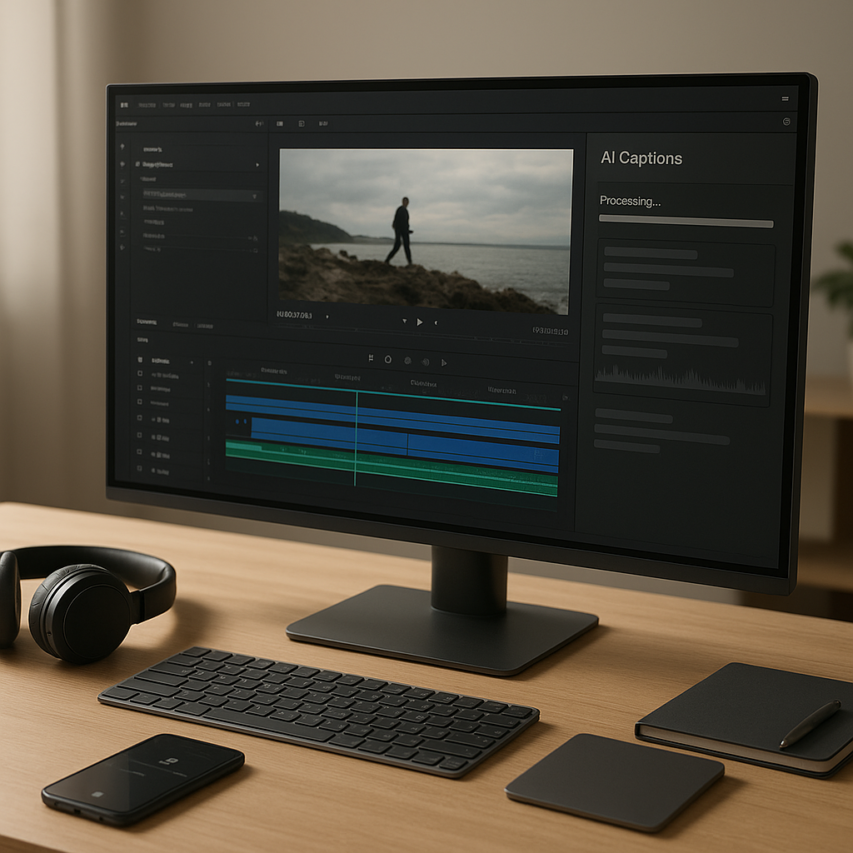
Video captions have evolved from a nice-to-have feature to an absolute necessity in today’s digital landscape. With over 85% of social media videos watched without sound and accessibility regulations becoming increasingly stringent, creators need reliable solutions for adding captions to their content. The emergence of AI caption generator technology has transformed this once time-consuming process into an automated workflow that takes minutes rather than hours, making professional-quality captions accessible to everyone regardless of budget or technical expertise.
Modern auto caption generator tools leverage advanced speech recognition and natural language processing to deliver remarkably accurate automatic captions across multiple languages and dialects. These free caption generator solutions have democratized video accessibility, enabling small businesses, educators, and content creators to reach broader audiences while meeting compliance requirements. Whether you’re producing marketing videos, educational content, or social media posts, the right auto captions tool can significantly expand your reach while improving viewer engagement and search engine visibility.
This comprehensive guide examines the leading automatic captions platforms available today, comparing their accuracy rates, supported formats, customization options, and unique features. You’ll discover how to choose the perfect tool for your specific needs, master advanced caption editing techniques, and implement industry best practices that ensure your content resonates with diverse global audiences.
Understanding AI Caption Generation Technology
AI caption generation has revolutionized how content creators, businesses, and educators approach video accessibility. These sophisticated systems transform spoken words into accurate text overlays, making video content accessible to broader audiences while saving countless hours of manual transcription work.
How AI Speech Recognition Works
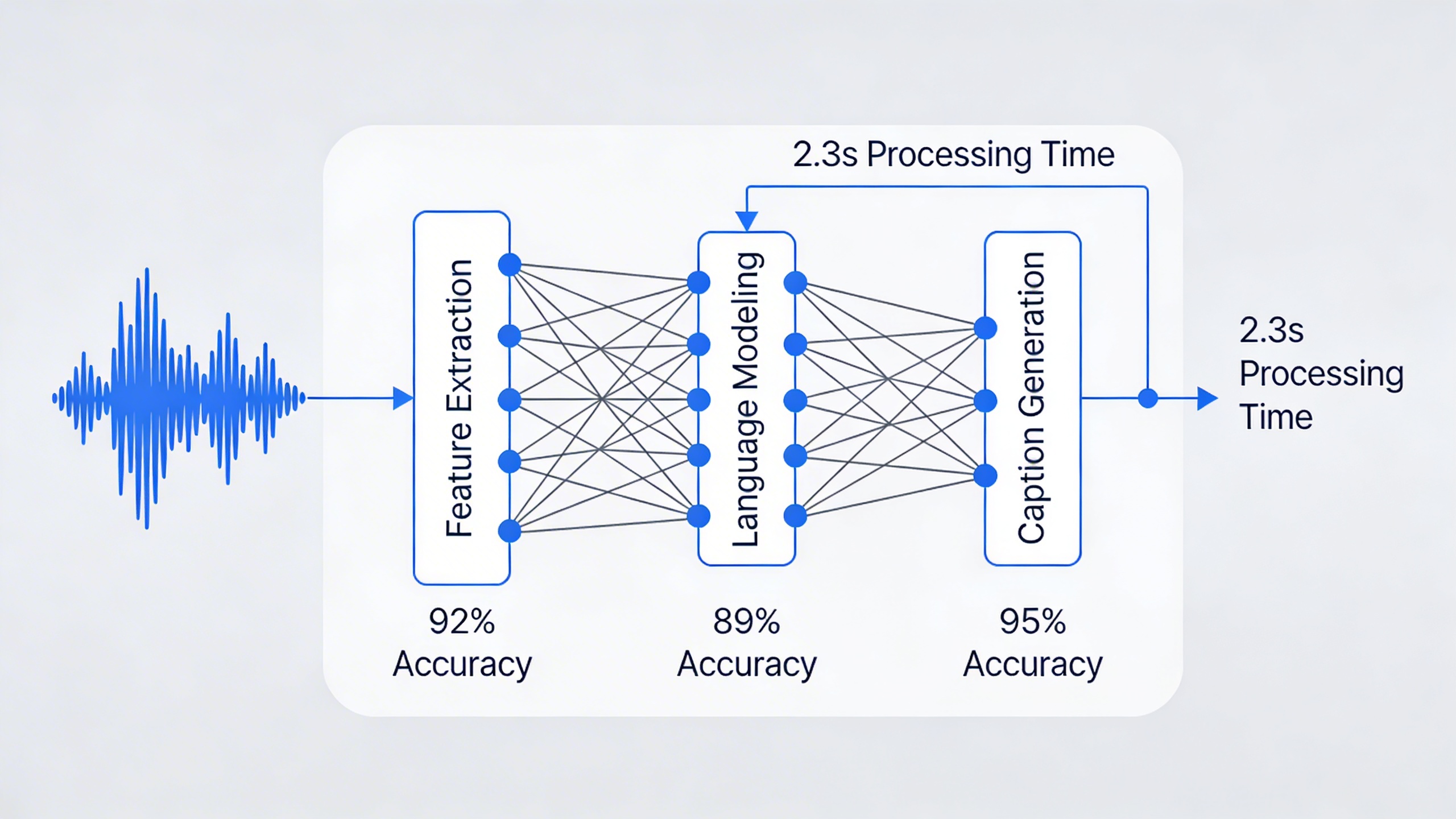
Modern ai caption generator technology relies on advanced neural networks trained on millions of hours of audio data. The process begins when the system analyzes audio waveforms, breaking down speech patterns into phonetic components. Machine learning algorithms then match these acoustic patterns to corresponding words and phrases, considering context clues to improve accuracy.
The most effective auto caption generator tools employ multiple processing layers. First, the acoustic model identifies individual sounds, while the language model predicts word sequences based on statistical probability. A pronunciation model bridges these components, ensuring the system correctly interprets various accents, speaking speeds, and audio qualities.
Deep learning has significantly enhanced this process. Contemporary systems can adapt to different speakers, background noise levels, and technical terminology. They also incorporate punctuation prediction and speaker identification, creating more natural, readable captions that maintain the original message’s intent and flow.
Benefits of Automated Captioning
The advantages of using automatic captions extend far beyond simple convenience. Accessibility compliance represents perhaps the most critical benefit, as captions enable deaf and hard-of-hearing individuals to engage with video content. Many jurisdictions now require captions for educational materials, workplace training, and public-facing content.
Auto captions also enhance comprehension for all viewers. Research indicates that captions improve information retention by up to 12%, particularly beneficial for complex technical content or presentations with industry-specific terminology. Non-native speakers especially benefit from seeing written text alongside audio, improving their understanding and language learning experience.
From a business perspective, captioned videos demonstrate significantly higher engagement rates. Social media platforms prioritize accessible content, and videos with captions receive more views, shares, and comments. Search engines can also index caption text, improving video discoverability and search rankings.
The time savings prove substantial for content creators and organizations. Manual transcription typically requires three to four hours per hour of video content. A reliable free caption generator can complete the same task in minutes, allowing teams to focus on content creation rather than administrative tasks.
Accuracy Expectations and Limitations
Current ai caption generator technology achieves impressive accuracy rates, typically ranging from 85% to 95% for clear audio with minimal background noise. Professional-grade tools often exceed 90% accuracy when processing high-quality recordings with single speakers using standard vocabulary.
However, several factors influence caption quality. Audio clarity remains the primary determinant of accuracy. Poor microphone quality, background noise, multiple speakers talking simultaneously, or heavy accents can reduce accuracy to 70% or lower. Technical jargon, proper nouns, and industry-specific terminology also present challenges for automated systems.
Speaker characteristics significantly impact results. Fast speech, mumbling, or non-standard pronunciation patterns require additional processing power and may produce less reliable outputs. Most auto caption generator platforms perform best with clear, moderately-paced speech from native speakers.
Despite these limitations, accuracy continues improving rapidly. Leading platforms now incorporate real-time learning capabilities, adapting to specific users’ speech patterns and vocabulary preferences. Some systems allow custom vocabulary uploads, enabling better recognition of specialized terms and proper nouns relevant to specific industries or topics.
Understanding these technological foundations helps users select appropriate automatic captions solutions and set realistic expectations. While perfect accuracy remains elusive, current AI systems provide excellent starting points that require minimal manual editing for most professional applications.
Top Free AI Caption Generator Tools Comparison
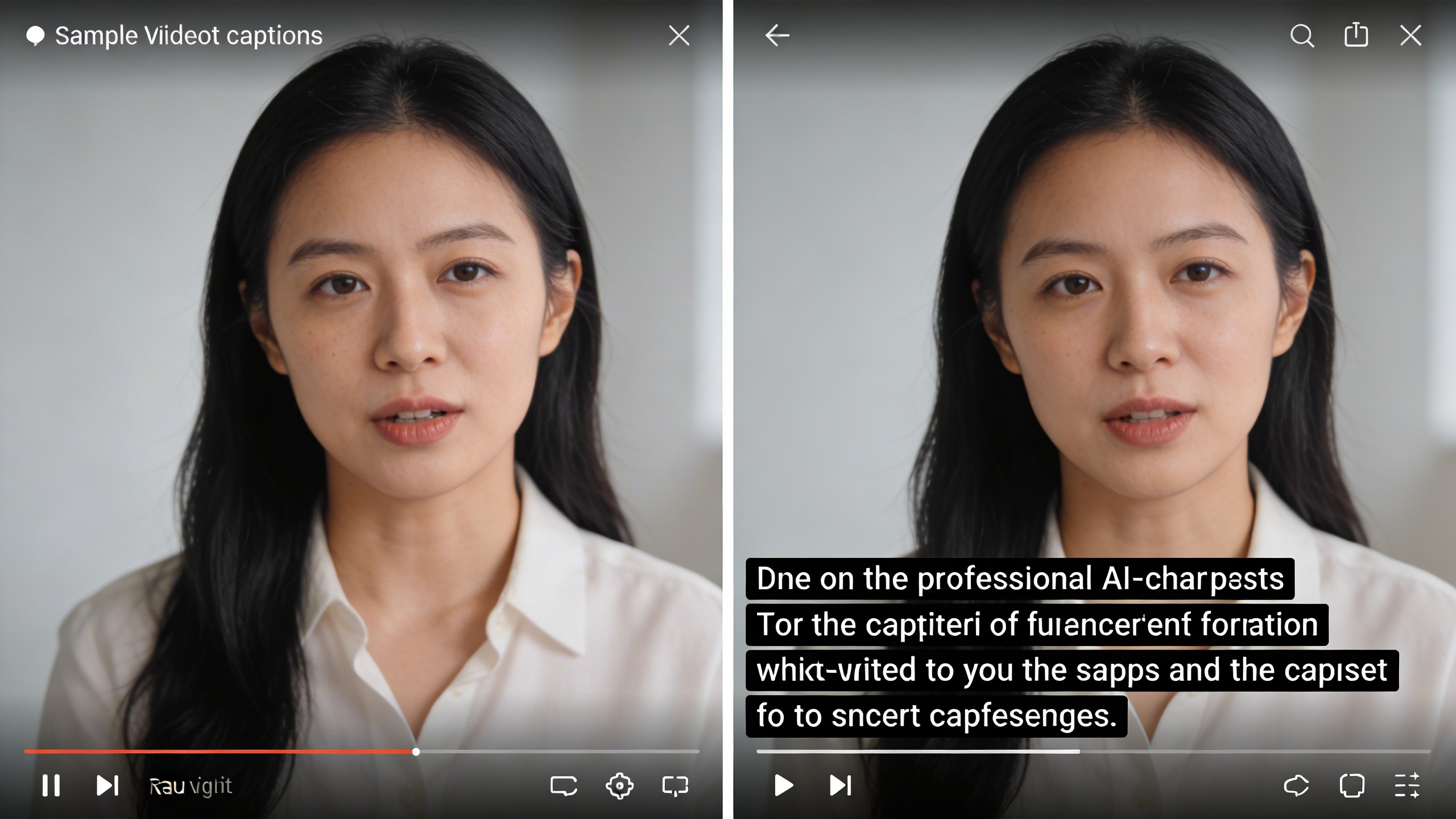
The landscape of free AI caption generator tools has expanded dramatically, offering content creators multiple options for automatic captioning across different platforms and devices. Understanding the strengths and limitations of each category helps you select the most suitable auto caption generator for your specific workflow and requirements.
Browser-Based Caption Generators
Browser-based solutions provide the convenience of immediate access without software installation, making them ideal for quick captioning tasks and collaborative workflows. These platforms typically process videos through cloud-based AI systems, delivering automatic captions directly within your web browser.
YouTube Studio stands out as the most accessible option, automatically generating captions for uploaded videos using Google’s speech recognition technology. The platform supports multiple languages and allows real-time editing of generated text. However, accuracy varies significantly with audio quality and speaker accents, requiring manual review for professional content.
Kapwing offers a comprehensive browser-based editor with integrated auto captions functionality. The platform supports various video formats including MP4, MOV, and AVI files, with export options ranging from SRT subtitle files to hardcoded captions. The interface provides intuitive timeline editing and styling customization, though free accounts include watermarks on exported content.
Rev.ai provides robust API-driven captioning services through their web interface, delivering high-accuracy automatic captions with speaker identification features. The platform excels at processing complex audio with multiple speakers, making it valuable for interviews and panel discussions. Export formats include SRT, VTT, and JSON, supporting integration with various video editing platforms.
Mobile Apps for Caption Creation
Mobile applications bring AI caption generation directly to smartphones and tablets, enabling on-the-go content creation and immediate social media publishing. These apps optimize processing for mobile hardware while maintaining reasonable accuracy levels for automatic captioning.
For iOS and Android users seeking comprehensive voice technology solutions, Sozai provides advanced transcription capabilities that extend beyond simple captioning. The app’s AI-powered engine handles various audio scenarios while offering seamless integration across devices, making it particularly valuable for content creators who need reliable voice-to-text conversion for their video projects.
Clipomatic focuses specifically on adding animated captions to short-form videos, automatically detecting speech patterns and generating synchronized text overlays. The app supports direct export to Instagram Stories, TikTok, and other social platforms, with customizable fonts and animation styles. Processing speed averages 2-3 minutes for typical 60-second clips.
InShot includes built-in auto caption generator functionality alongside its video editing features, supporting MP4 and MOV file formats up to 4K resolution. The app provides basic styling options and supports multiple languages, though accuracy decreases noticeably with background music or ambient noise.
Desktop Software Solutions
Desktop applications offer the most comprehensive feature sets and processing power for automatic captions generation, particularly beneficial for longer videos and professional production workflows. These solutions typically provide offline processing capabilities and advanced customization options.
DaVinci Resolve includes integrated speech-to-text functionality within its professional video editing suite, generating automatic captions with timeline synchronization. The software supports extensive format compatibility and provides precise timing adjustments, though the learning curve may intimidate casual users. Export options include industry-standard formats like SRT, STL, and EBU-TT.
Aegisub specializes in subtitle creation and editing, offering manual tools alongside basic automatic captioning features. While not primarily an AI-driven solution, it excels at fine-tuning caption timing and formatting. The software supports advanced styling options and multiple subtitle formats, making it valuable for final caption refinement.
| Tool Category | Processing Speed | Accuracy Range | Export Formats | File Size Limit |
|---|---|---|---|---|
| Browser-Based | 3-10 minutes | 75-90% | SRT, VTT, TXT | 500MB-2GB |
| Mobile Apps | 1-5 minutes | 70-85% | SRT, MP4 (hardcoded) | 100MB-1GB |
| Desktop Software | Real-time to 5 minutes | 80-95% | All standard formats | Unlimited |
When evaluating free caption generator options, consider your primary use case and technical requirements. Browser-based tools excel for occasional use and collaborative projects, while mobile apps provide convenience for social media content creation. Desktop solutions offer the most robust feature sets for professional video production, though they require more significant time investment to master effectively.
The accuracy of any auto captions system depends heavily on audio quality, speaker clarity, and background noise levels. Most platforms achieve 80-90% accuracy under optimal conditions, but manual review remains essential for professional content distribution across all categories of AI caption generator tools.
Essential Features to Look for in Caption Generators
Selecting the right ai caption generator requires careful evaluation of several critical features that directly impact the quality and usability of your captions. Whether you’re creating content for social media, educational purposes, or professional presentations, understanding these essential capabilities will help you choose a tool that meets your specific needs and delivers consistent results.
Accuracy and Language Support
The foundation of any effective auto caption generator lies in its transcription accuracy and language capabilities. Premium tools typically achieve 85-95% accuracy rates for clear audio, while basic free options may range from 70-85%. Look for generators that support your target languages natively rather than relying solely on translation features, as this significantly improves accuracy and context understanding.
Multi-language capabilities extend beyond simple recognition to include proper handling of accents, dialects, and industry-specific terminology. The best automatic captions tools offer support for 50+ languages and can automatically detect the spoken language without manual input. Consider whether the generator handles code-switching scenarios where speakers alternate between languages within the same video.
Advanced ai caption generator platforms also provide speaker identification and can distinguish between multiple voices in group discussions or interviews. This feature proves invaluable for educational content, podcasts, and business meetings where attribution matters for viewer comprehension.
Customization and Editing Options
Real-time editing capabilities separate professional-grade tools from basic auto captions generators. Look for platforms that allow immediate text corrections, timing adjustments, and formatting changes without requiring complete regeneration of the caption file. The editing interface should provide intuitive timeline synchronization where you can click on any caption segment and modify both text and timing simultaneously.
Customization options should include font selection, size adjustment, color schemes, and positioning controls. Professional content creators need the ability to match captions to their brand guidelines, including custom color palettes and typography that aligns with their visual identity. Some advanced tools offer preset styles for different platforms, automatically optimizing caption appearance for YouTube, Instagram, or TikTok specifications.
Batch editing features streamline workflows when processing multiple videos. The ability to apply consistent formatting, terminology corrections, or style preferences across entire video series saves considerable time and ensures brand consistency throughout your content library.
Export Formats and Integration
Subtitle format compatibility determines where and how you can use your generated captions. Essential formats include SRT (SubRip), VTT (WebVTT), ASS (Advanced SubStation Alpha), and platform-specific formats for major social media networks. A versatile free caption generator should export to at least 5-8 common formats without quality loss or timing discrepancies.
Social media platform integration has become increasingly important as platforms prioritize accessible content. Look for tools that can directly upload captions to YouTube, automatically format text for Instagram Reels, or generate the specific caption styles required by TikTok and LinkedIn video posts. Some advanced platforms offer one-click publishing that simultaneously uploads your video and captions to multiple social networks.
API access and third-party integrations expand the utility of your chosen auto caption generator beyond standalone use. Integration with video editing software like Adobe Premiere Pro, Final Cut Pro, or DaVinci Resolve allows seamless incorporation of captions into your existing workflow. Cloud storage integration with Google Drive, Dropbox, or OneDrive ensures easy access to caption files across devices and team members.
Step-by-Step Guide to Generating AI Captions
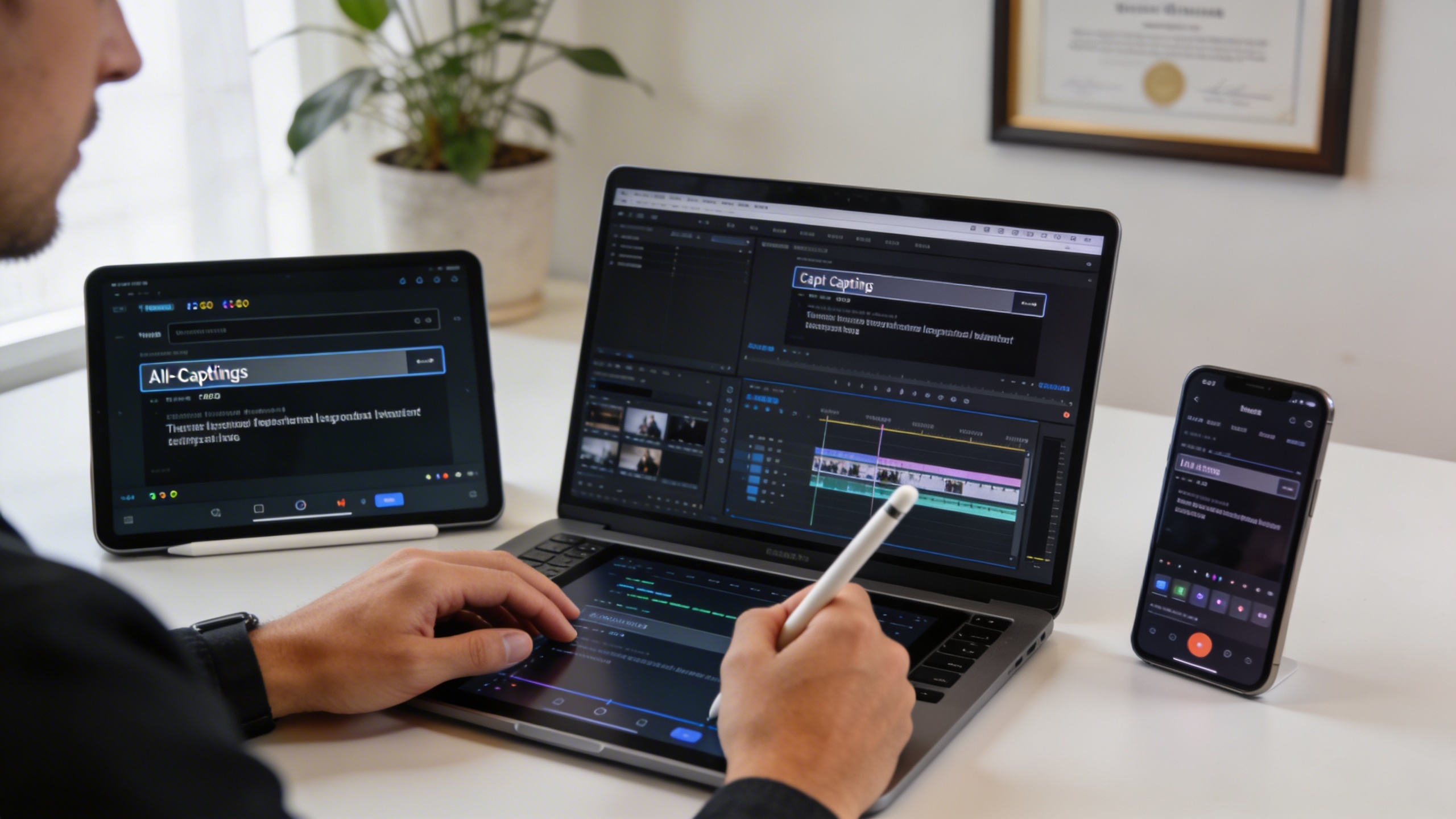
Creating accurate captions with an ai caption generator requires careful preparation and attention to detail. Following a systematic approach ensures you get the best possible results from any automatic captioning tool, whether you’re working with educational content, marketing videos, or social media clips.
Preparing Your Video Files
Audio quality serves as the foundation for successful automatic captions generation. Before uploading your content to any free caption generator, enhance your audio track by reducing background noise and normalizing volume levels. Clear speech with minimal ambient sound produces significantly more accurate transcriptions than muffled or noisy recordings.
File size considerations play a crucial role in processing efficiency. Most auto caption generator platforms accept files up to 2GB, but smaller files typically process faster and encounter fewer errors. If your video exceeds these limits, consider splitting longer content into manageable segments or compressing the file while maintaining audio clarity. Popular formats like MP4, MOV, and AVI work reliably across most platforms.
Speaker separation becomes important for multi-person conversations. When possible, use individual microphones or ensure speakers don’t overlap their dialogue. This preparation step dramatically improves the accuracy of speaker identification features available in advanced ai caption generator tools.
Uploading and Processing
The upload process varies between platforms, but following consistent practices yields better results. Start by selecting the correct source language in your chosen auto captions tool, as this setting directly impacts transcription accuracy. Many generators support dozens of languages, but accuracy varies significantly between widely-spoken languages like English and less common dialects.
Processing times depend on video length and platform capacity. A 10-minute video typically requires 3-7 minutes for initial transcription, though this varies during peak usage periods. Most automatic captions generators provide progress indicators and email notifications when processing completes, allowing you to work on other tasks while waiting.
Quality settings affect both accuracy and processing speed. Higher quality modes take longer but produce more precise results, especially for technical terminology or accented speech. For time-sensitive projects, standard quality modes often provide acceptable accuracy for general content.
Editing and Refining Captions
Manual correction techniques transform raw AI output into polished, professional captions. Start by reviewing the entire transcript for obvious errors like misheard words, incorrect punctuation, or missing speaker labels. Focus first on proper nouns, technical terms, and industry-specific vocabulary that AI systems commonly struggle with.
Timing adjustments ensure captions appear synchronized with spoken words. Most free caption generator platforms include built-in editors for adjusting start and end times. Captions should appear slightly before the speaker begins talking and disappear shortly after they finish, creating a natural reading experience for viewers.
Formatting consistency improves readability across different viewing platforms. Maintain uniform line lengths (typically 32-42 characters per line), use appropriate capitalization for proper nouns, and include relevant punctuation for clarity. Break longer sentences at natural pause points rather than arbitrary character limits.
Quality assurance best practices involve multiple review passes focusing on different elements. First, check for accuracy by comparing captions against the original audio. Second, review timing and synchronization by watching the video with captions enabled. Finally, verify formatting meets accessibility standards and platform requirements.
Professional transcription tools like Sozai can complement your captioning workflow by providing accurate initial transcripts that you can then format into timed captions using your preferred auto caption generator.
Testing across multiple devices ensures your captions display correctly on various screens and platforms. Mobile devices, tablets, and desktop computers may render captions differently, so preview your final output on representative devices before publishing or distributing your content.
Advanced Caption Customization Techniques
While most free caption generator tools provide basic text output, mastering advanced customization techniques transforms standard captions into professional-quality subtitles that enhance viewer engagement and brand recognition. These techniques ensure your auto captions not only convey accurate information but also maintain visual consistency across your content library.
Styling and Formatting Options
Professional caption styling begins with strategic font selection and color coordination. Most ai caption generator platforms offer customizable font families, with sans-serif options like Arial or Helvetica providing optimal readability across devices. Text size should scale appropriately for different screen resolutions, typically ranging from 16-24 pixels for desktop viewing and larger for mobile consumption.
Color contrast plays a crucial role in accessibility compliance. White text on a semi-transparent black background achieves the highest readability scores, while yellow text works exceptionally well for dramatic or dark video content. Advanced users often implement drop shadows or outline effects to ensure text visibility against varying background colors throughout their videos.
Caption positioning significantly impacts viewer experience. Bottom-center placement remains the standard, but creative positioning can enhance storytelling. For educational content, side-positioned captions leave more screen space for visual demonstrations, while news-style content benefits from lower-third positioning that mimics broadcast television formatting.
Timing and Synchronization
Precise timing optimization separates amateur from professional captioning work. The ideal reading speed maintains 160-180 words per minute, allowing viewers sufficient time to process information without creating awkward pauses. Most automatic captions require manual timing adjustments, particularly for technical content or speakers with varying pace patterns.
Synchronization techniques involve aligning caption breaks with natural speech patterns rather than arbitrary time intervals. Professional editors break captions at logical phrase boundaries, ensuring each subtitle segment contains complete thoughts. This approach reduces cognitive load and improves comprehension rates across diverse audiences.
Advanced timing strategies include implementing strategic delays for dramatic effect or extending display duration for complex terminology. Technical videos benefit from longer caption display times, while entertainment content can utilize faster-paced timing to maintain engagement momentum.
Brand Consistency and Guidelines
Corporate branding integration transforms generic auto caption generator output into cohesive brand experiences. Establishing comprehensive style guides ensures consistency across all video content, including specific color palettes, font selections, and positioning standards that align with broader brand identity.
Brand-specific customization extends beyond visual elements to include tone and language preferences. Companies often develop caption vocabularies that reflect their communication style, incorporating industry-specific terminology while maintaining accessibility for general audiences. This approach strengthens brand voice recognition across video platforms.
Template creation streamlines the customization process for teams managing large content volumes. Professional workflows involve developing reusable caption templates that maintain brand standards while accommodating different content types. These templates should include preset styling options, timing parameters, and formatting rules that team members can apply consistently across projects.
Quality assurance protocols ensure customized captions meet both technical standards and brand requirements. Regular audits of caption accuracy, timing precision, and visual consistency help maintain professional standards while maximizing the effectiveness of your chosen free caption generator solution.
Industry-Specific Caption Requirements
Different industries have unique captioning needs that go beyond basic transcription accuracy. Understanding these requirements ensures your ai caption generator produces content that meets professional standards and regulatory compliance while maximizing audience engagement across various sectors.
Educational Content Standards
Educational institutions face strict accessibility compliance requirements under the Americans with Disabilities Act (ADA) and Section 508 guidelines. When creating instructional videos, your free caption generator must produce captions with at least 99% accuracy for technical terminology and proper nouns. Educational content requires precise timing synchronization, with captions appearing no more than 3 seconds after spoken words.
Academic videos also benefit from enhanced formatting features like speaker identification for multi-person discussions and specialized vocabulary recognition for subject-specific terms. Many institutions require captions to include sound descriptions for non-speech audio elements, such as “[applause]” or “[music playing]” to provide complete context for hearing-impaired students.
Business and Marketing Videos
Corporate communications demand professional presentation standards that reflect brand credibility. Business videos require auto captions that maintain consistent terminology across all company content, including proper capitalization of brand names, product titles, and industry jargon. Marketing teams often need captions optimized for silent viewing, as studies show 85% of social media videos are watched without sound.
Professional automatic captions should include call-to-action text formatting and strategic keyword placement for SEO benefits. Sales presentations and webinars require accurate transcription of statistical data, percentages, and financial figures, as misrepresented numbers can damage business credibility and potentially create legal liabilities.
Entertainment and Social Media
Entertainment content creators face unique challenges balancing engagement with accuracy. Social media platforms like TikTok, Instagram, and YouTube each have specific caption formatting requirements that affect visibility and reach. An effective auto caption generator for entertainment must handle rapid speech patterns, slang, and cultural references while maintaining readability.
Platform-specific optimizations include character limits for different social networks, with Instagram allowing up to 2,200 characters while TikTok captions work best under 150 characters. Entertainment captions often require creative formatting to convey emotion and tone, using strategic capitalization and punctuation to match the content’s energy level.
Gaming content creators need captions that can distinguish between multiple speakers during collaborative streams, while music videos require precise timing to match lyrical content with beat patterns. These specialized requirements make choosing the right automatic caption tool crucial for maintaining audience engagement and platform algorithm preferences.
Regardless of industry, testing your chosen caption generator with sample content from your specific field ensures optimal results before committing to large-scale production workflows.
Future Trends in AI Caption Technology
The landscape of AI caption technology continues to evolve rapidly, with breakthrough innovations reshaping how we approach automatic captioning for video content. These emerging trends promise to deliver more accurate, accessible, and versatile solutions for content creators across all industries.
Emerging AI Capabilities
Next-generation AI caption generator tools are incorporating advanced neural networks that understand context far beyond simple speech recognition. These systems now analyze speaker emotions, identify multiple voices simultaneously, and recognize industry-specific terminology with remarkable precision. The integration of large language models enables auto caption generator platforms to maintain conversational flow and correct grammatical inconsistencies that traditional systems often miss.
Real-time processing capabilities have reached new heights, with latency dropping to under 200 milliseconds for live captioning scenarios. This advancement makes automatic captions viable for live streaming, virtual meetings, and broadcast television without noticeable delays. Modern algorithms also leverage temporal analysis to improve accuracy by considering surrounding dialogue context rather than processing each utterance in isolation.
Integration with Video Platforms
Major video hosting platforms are embedding sophisticated auto captions directly into their infrastructure, eliminating the need for third-party tools in many scenarios. These integrated solutions offer seamless workflows where creators can generate, edit, and publish captions without leaving their preferred platform. The trend toward API-first development allows free caption generator services to connect with popular editing software, creating unified content production pipelines.
Cloud-based processing has enabled smaller platforms to access enterprise-level captioning capabilities through scalable infrastructure. This democratization means that independent creators now have access to the same quality automatic captions that were previously available only to large media organizations.
Accessibility Innovations
Revolutionary accessibility features are transforming how diverse audiences consume video content. Advanced AI systems now generate speaker identification tags, emotional context indicators, and sound effect descriptions automatically. These enhancements create truly inclusive experiences for deaf and hard-of-hearing viewers.
Automated translation capabilities have evolved beyond simple word substitution to culturally aware localization. Modern AI caption generator platforms can adapt idioms, cultural references, and humor while maintaining timing synchronization across multiple languages. This breakthrough enables global content distribution with minimal manual intervention, making quality captions accessible to international audiences at scale.

